Samsung AA PBZN4NP 40Wh Battery Replacement Guide
Find the right replacement battery for your Samsung device with our comprehensive compatibility guide and installation tips for Australian and New Zealand consumers.
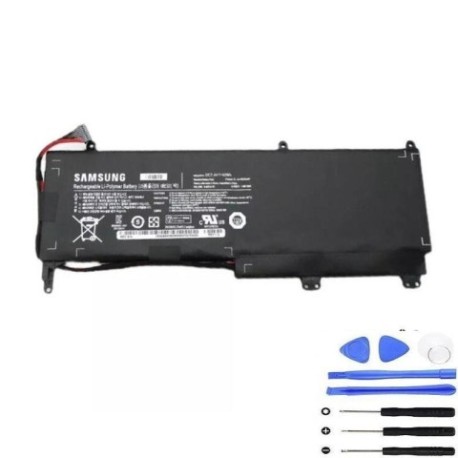
Battery models & part numbers
| Reference / P/N |
|---|
| Samsung AA-PBZN4NP-40Wh |
| Samsung BA43-00317A |
Compatible laptop models
| Model |
|---|
| Samsung 7 slate PC NPXE700T1A |
| Samsung 7 slate PC NTXE700T1A |
| Samsung 7 slate PC XE700T1A |
Introduction
The Samsung AA PBZN4NP 40Wh battery is a high-quality replacement power source designed specifically for compatible Samsung devices. This authorised replacement battery ensures optimal performance and reliability for your mobile computing needs.
Common signs you need a replacement
| Symptoms | Causes | Verification | Recommendation |
|---|---|---|---|
| Rapid power drain | Battery degradation | Check battery health in system settings | Consider replacement if below 50% capacity |
| Device won’t hold charge | Failed battery cells | Test with different power adapter | Replace battery immediately |
| Battery swelling | Internal damage | Visual inspection | Replace urgently for safety |
| Overheating during use | Faulty battery management | Monitor temperature readings | Replace to prevent damage |
How to check compatibility
Verify your device model matches exactly with our compatibility list above. Check your device’s original battery part number or consult your user manual. For Samsung devices, you can find model information in System Settings under About Device.
When to replace
Replace your battery when you notice significant performance decline, typically after 2-3 years of regular use. Immediate replacement is recommended for swollen batteries or devices that won’t power on without being plugged in.
Installation guide (overview)
Power off your device completely and disconnect from any power source. Use appropriate tools to carefully remove the back panel. Disconnect the old battery connector and remove any securing screws. Install the new battery, reconnect the connector, and reassemble your device.
Usage & care tips
Avoid exposing your battery to extreme temperatures (below 0°C or above 45°C). For optimal battery health, maintain charge between 20-80% when possible. Use only authorised chargers and avoid leaving your device plugged in continuously for extended periods.
Safety & recycling in AU/NZ
Never attempt to open or modify the battery casing. Dispose of old batteries at authorised recycling centres – most electronics retailers in Australia and New Zealand offer free battery recycling services. Do not dispose of batteries in household waste.
FAQ
How long does this battery last?
Typically 2-3 years with normal use, or approximately 500 charge cycles.
Is this an original Samsung battery?
This is a high-quality replacement battery compatible with Samsung devices.
Will this battery work with my device model?
Check the compatibility tables above – if your exact model is listed, it is compatible.
How do I recycle my old battery in Australia?
Take it to any Battery World, Officeworks, or other electronics retailers offering recycling services.
What warranty does this battery come with?
Check the product page for current warranty information from the supplier.
Can I install this battery myself?
Yes, with basic technical skills and appropriate tools, though professional installation is recommended if unsure.
How do I maximise battery life?
Avoid complete discharges, keep away from heat sources, and use power-saving modes when possible.