Battery models & part numbers
| Reference / P/N |
|---|
| Sony A1827280B |
| Sony A1846881C |
| Sony VGP-BPL24 |
| Sony-VGP-BPS24-49Wh |
Compatible laptop models
| Model |
|---|
| Sony SVS13 |
| Sony SVS1311G3E/SHB |
| Sony SVS1311G4E/W |
| Sony SVS1311G4EW |
| Sony SVS1311G4EW.AE1 |
| Sony SVS1311H4ES |
| Sony SVS1311J3E/WHB |
| Sony SVS1311K9E |
| Sony SVS1311K9E/B |
| Sony SVS1311Q9E |
| Sony SVS1311Q9EB |
| Sony SVS1311S9E |
| Sony SVS1311S9E/B |
| Sony SVS1312G3ER |
| Sony SVS1312G3ER.G4 |
| Sony SVS1312G3EW |
| Sony SVS1312G3EW.G4 |
| Sony SVS1312H3ES |
| Sony SVS1312H3ES.G4 |
| Sony SVS1312P9EB |
| Sony SVS1312P9EB.G4 |
| Sony SVS1312S9EB |
| Sony SVS1312S9EB.G4 |
| Sony SVS1313H1ES |
| Sony SVS1313H1EW |
| Sony SVS1313P9EB |
| Sony SVS1313P9EB.G4 |
| Sony SVS1313R9EB |
| Sony SVS1313R9EB.G4 |
| Sony SVS131B11M |
| Sony SVS131G22M |
| Sony SVS13A1V9E |
| Sony SVS13A1V9E/B |
| Sony SVS13A1Y9E |
| Sony SVS13A1Z9E |
| Sony SVS13A2W9ES |
| Sony SVS13A2Z9ES |
| Sony SVS13A2Z9ES.G4 |
| Sony SVS13A3B4E |
| Sony SVS13A3W9ES |
| Sony SVS13A3W9ES.G4 |
| Sony SVS13A3Z9ES |
| Sony SVS13A3Z9ES.G4 |
| Sony Vaio SA SB SC SD SE VPCSA VPCSB VPCSC VPCSE |
Introduction
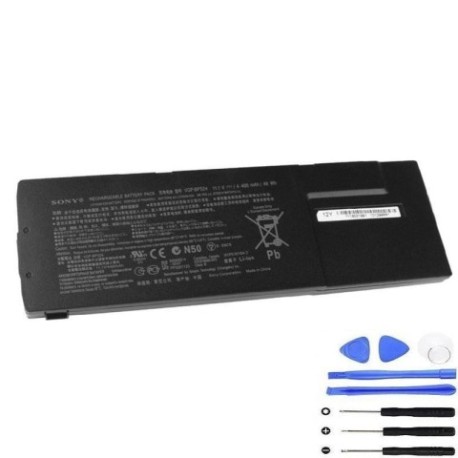
Keep your Sony VAIO laptop running at peak performance with our authorised replacement battery. The Sony VGP-BPS24 49Wh battery is engineered to meet original specifications, ensuring reliable power for your mobile computing needs across Australia and New Zealand.
Common signs you need a replacement
| Symptom | Cause | Verification | Recommendation |
|---|---|---|---|
| Battery won’t hold charge | Ageing cells | Check power settings | Replace battery |
| Laptop shuts down unexpectedly | Voltage drops | Monitor battery health | Immediate replacement |
| Battery swelling | Internal damage | Visual inspection | Replace immediately |
| Overheating during use | Inefficient power delivery | Check temperature | Replace battery |
How to check compatibility
Verify your laptop model matches our compatibility list above. Check your current battery’s part number (usually printed on the battery) or look up your laptop’s model number from the system information or underside label.
When to replace
Replace your battery when runtime drops below 50% of original capacity, if physical damage is visible, or if your laptop frequently shuts down when unplugged. Most batteries last 2-3 years with regular use.
Installation guide (overview)
Power off your laptop and disconnect from mains. Remove the battery compartment cover (if applicable), slide out the old battery, and insert the new one ensuring proper alignment. Secure any locking mechanisms before powering on.
Usage & care tips
Avoid extreme temperatures (ideal range 15-25°C). Calibrate monthly by fully charging then discharging. Store at 40-60% charge if not using for extended periods. Use only authorised chargers.
Safety & recycling in AU/NZ
Dispose of old batteries at authorised recycling centres. Never puncture or expose to fire. In Australia, use Batteryback services; in New Zealand, check with local council recycling programmes.
FAQ
How long does delivery take in Australia?
Typically 3-7 business days depending on location.
Is this battery genuine?
Yes, it meets original Sony specifications and is authorised for use.
What warranty do you offer?
12-month warranty covering manufacturing defects.
Can I use this with newer VAIO models?
Only compatible with models listed in our compatibility table.
How do I recycle my old battery?
Take to any battery recycling centre – many electronics retailers offer this service.
Will this improve my laptop’s performance?
It will restore original battery life and prevent unexpected shutdowns.
Do you ship to New Zealand?
Yes, we ship to both Australia and New Zealand.