Battery models & part numbers
| Reference / P/N |
|---|
| AA-PLAN6AR |
| BA43-00292A |
Compatible laptop models
| Model |
|---|
| Samsung NP900X1A |
| Samsung NP900X3A |
| Samsungs 9 900X1A NP900X1A |
Introduction
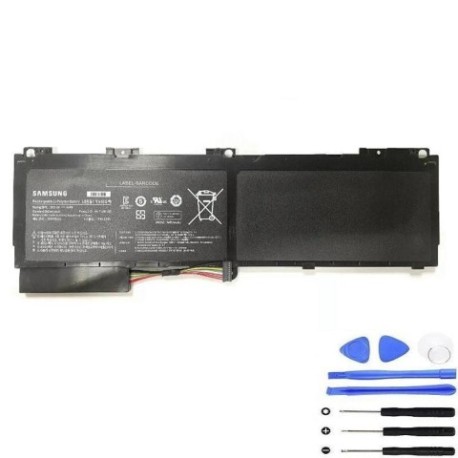
Keep your Samsung laptop running at peak performance with our genuine AA-PLAN6AR 46Wh replacement battery. This high-quality battery is specifically designed for compatibility with multiple Samsung laptop models commonly used across Australia and New Zealand.
Common signs you need a replacement
| Symptoms | Possible Causes | How to Verify | Recommendation |
|---|---|---|---|
| Battery drains quickly | Ageing cells, reduced capacity | Check battery health in system settings | Consider replacement if under 50% capacity |
| Laptop shuts down unexpectedly | Battery cannot hold charge | Monitor battery percentage during use | Replace if frequent shutdowns occur |
| Battery won’t charge fully | Faulty charging circuit or cells | Check charging indicator and percentage | Replace if stuck below 80% charge |
| Battery swelling or overheating | Internal damage or defect | Visual inspection, temperature check | Replace immediately for safety |
How to check compatibility
Verify your laptop’s compatibility by checking the model number on the bottom case or under the battery compartment. Compare it with our compatible models list above. You can also check your current battery’s part number – it should match AA-PLAN6AR or BA43-00292A.
When to replace
Replace your battery when you notice significant performance degradation, typically after 2-3 years of regular use. Look for reduced runtime, frequent charging needs, or system warnings about battery health. In AU/NZ conditions, extreme temperatures can accelerate battery wear.
Installation guide (overview)
1. Power off your laptop and disconnect from power
2. Remove the bottom panel or battery compartment cover
3. Disconnect the old battery connector
4. Remove any securing screws
5. Install the new battery and reconnect
6. Replace covers and power on
Always refer to your laptop’s service manual for detailed instructions.
Usage & care tips
• Avoid extreme temperatures (ideal range 10°C to 35°C)
• Calibrate your battery monthly by fully charging then discharging
• Store at 40-60% charge if not using for extended periods
• Use authorised Samsung chargers for optimal performance
• Keep battery contacts clean and free from debris
Safety & recycling in AU/NZ
Always handle batteries with care. Do not puncture, crush, or expose to fire. In Australia and New Zealand, recycle old batteries at authorised collection points. Many electronics retailers offer free battery recycling services. Never dispose of batteries in household waste.
FAQ
How long does this battery last?
The AA-PLAN6AR typically provides 3-5 hours of normal use, depending on your laptop’s power settings and applications running.
Is this battery genuine Samsung?
Yes, this is a genuine Samsung replacement battery with full compatibility and performance matching original specifications.
What’s the warranty period?
This battery comes with a 12-month warranty covering manufacturing defects and performance issues.
How do I check my current battery health?
On Windows, use the battery report feature. On macOS, check System Information under Power. Both show current capacity versus design capacity.
Can I use this battery internationally?
Yes, the battery works worldwide. However, ensure you use the correct power adapter for the local voltage (110V-240V compatible).
How should I store my old battery?
Store in a cool, dry place with terminals covered until you can recycle it properly at an authorised centre.
What if my laptop model isn’t listed?
Contact our support team with your exact laptop model number for compatibility verification before purchase.