Battery models & part numbers
| Reference / P/N |
|---|
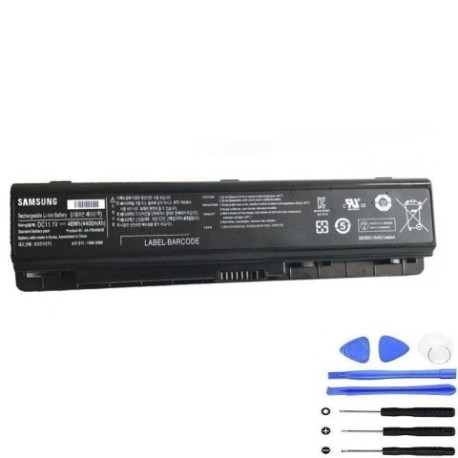
| Samsung AA-PLAN9AB |
| Samsung-AA-PBAN6AB-48Wh |
| Samsung BA4300298A |
Compatible laptop models
| Model |
|---|
| Samsung 200B |
| Samsung 200B5A A01 |
| Samsung 200B5B S01 |
| Samsung 400B |
| Samsung 410B |
| Samsung 600B |
| Samsung 600B5C |
| Samsung NP200B2A |
| Samsung NP200B2B |
| Samsung NP200B4A |
| Samsung NP200B4B |
| Samsung NP200B4C |
| Samsung NP200B5A |
| Samsung NP200B5B |
| Samsung NP200B5C |
| Samsung NP400B2A |
| Samsung NP400B2B |
| Samsung NP400B4A |
| Samsung NP400B4B |
| Samsung NP400B4C |
| Samsung NP400B5A |
| Samsung NP400B5B |
| Samsung NP400B5C |
| Samsung NP410B2B |
| Samsung NP600B2A |
| Samsung NP600B2B |
| Samsung NP600B4A |
| Samsung NP600B4B |
| Samsung NP600B4C |
| Samsung NP600B5A |
| Samsung NP600B5B |
| Samsung NP600B5C |
| Samsung NT200B2A |
| Samsung NT200B2B |
| Samsung NT200B4A |
| Samsung NT200B4B |
| Samsung NT200B4C |
| Samsung NT200B5A |
| Samsung NT200B5B |
| Samsung NT200B5C |
| Samsung NT400B2A |
| Samsung NT400B2B |
| Samsung NT400B4A |
| Samsung NT400B4B |
| Samsung NT400B4C |
| Samsung NT400B5A |
| Samsung NT400B5B |
| Samsung NT400B5C |
| Samsung NT600B2A |
| Samsung NT600B2B |
| Samsung NT600B4A |
| Samsung NT600B4B |
| Samsung NT600B4C |
| Samsung NT600B5A |
| Samsung NT600B5B |
| Samsung NT600B5C |
Introduction
Keep your Samsung laptop running smoothly with a genuine replacement battery. This guide helps AU/NZ users find the right battery and use it safely.
Common signs you need a replacement
| Symptom | Cause | How to check | Recommendation |
|---|---|---|---|
| Short battery life | Ageing cells | Check power settings | Replace if under 1 hour |
| Laptop shuts down unexpectedly | Voltage drops | Monitor battery health | Replace immediately |
| Battery won’t charge fully | Faulty circuitry | Use power meter | Replace if stuck below 80% |
| Swelling or overheating | Internal damage | Visual inspection | Replace and recycle safely |
How to check compatibility
Match your laptop model from the list above. Check the original battery’s part number or use Samsung’s online support tool.
When to replace
Replace every 2–3 years or when performance drops. In AU/NZ, authorised centres can test your battery’s health.
Installation guide (overview)
Power off the laptop. Remove the old battery, align the new one, and secure it. Always follow the manufacturer’s guide.
Usage & care tips
Avoid full discharges; keep between 20–80% charge. Store in a cool, dry place away from direct sunlight. Use original chargers.
Safety & recycling in AU/NZ
Do not disassemble batteries. Recycle at approved e-waste centres. In Australia, check RecyclingNearYou; in New Zealand, visit eWaste.org.nz.
FAQ
How long does delivery take in AU/NZ? Usually 3–7 business days.
Is this battery genuine? Yes, it meets Samsung specifications.
Can I use it for other models? Only if listed in the compatibility table.
What is the warranty? Typically 12 months from purchase.
How do I recycle the old battery? Use local e-waste services.
Does it come charged? Partially charged; full charge before first use.
What if it doesn’t fit? Double-check model compatibility and contact support.