Battery models & part numbers
| Reference / P/N |
|---|
| Razer-RC30-0370-61.6Wh |
Compatible laptop models
| Model |
|---|
| Razer Blade 14 (2021) RZ09-0370A |
| Razer Blade 14 (2021) RZ09-0370B |
| Razer Blade 14 (2021) RZ09-0370C |
| Razer Blade 14 (2022) RZ09-0427E |
| Razer Blade 14 (2022) RZ09-0427N |
| Razer Blade 14 (2022) RZ09-0427P |
| Razer Blade 14 2021 |
| Razer Blade 14 2022 |
| Razer Blade 14 AMD Ryzen 9 5900HX |
| Razer Blade 14 Ryzen 9 6900HX |
| Razer Blade 14 Ryzen 9 RTX 3070 |
| Razer Blade 14 RZ09-0370AE23-R3U1 |
| Razer Blade 14 RZ09-0370BEA3-R3U1 |
| Razer Blade 14 RZ09-0370CEA3-R3U1 |
| Razer Blade 14 RZ09-0427EE23-R3U1 |
| Razer Blade 14 RZ09-0427EEM3-R3U1 |
| Razer Blade 14 RZ09-0427NEA3-R3U1 |
| Razer Blade 14 RZ09-0427NEM3-R3U1 |
| Razer Blade 14 RZ09-0427NEQ3-R3U1 |
| Razer Blade 14 RZ09-0427PEA3-R3U1 |
| Razer Blade Pro 17 (2021) RZ09-0368A |
| Razer Blade Pro 17 (2021) RZ09-0368B |
| Razer Blade Pro 17 (2021) RZ09-0368C |
| Razer Blade Pro 17 RZ09-0368AEA2-R3U1 |
| Razer Blade Pro 17 RZ09-0368AEC2-R3U1 |
| Razer Blade Pro 17 RZ09-0368BEA2-R3U1 |
| Razer Blade Pro 17 RZ09-0368BEC2-R3U1 |
| Razer Blade Pro 17 RZ09-0368CE63-R3U1 |
| Razer Blade Pro 17 RZ09-0368CEC3-R3U1 |
| Razer Nvidia GeForce RTX 3060 |
| Razer Nvidia GeForce RTX 3070 |
| Razer Nvidia GeForce RTX 3080 |
| Razer RZ09-0368 |
Introduction
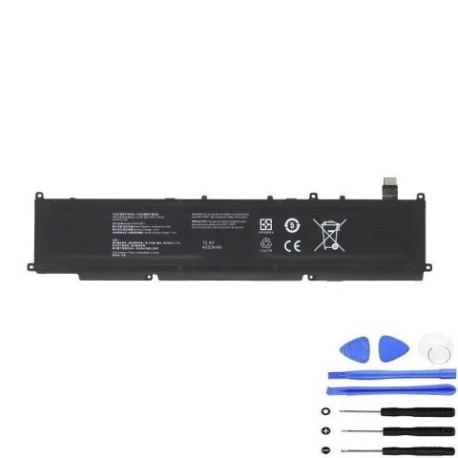
Extend your Razer laptop’s life with a genuine replacement battery. Our Razer RC30-0370 61.6Wh battery is authorised for your model, ensuring peak performance and safety.
Common signs you need a replacement
| Symptom | Cause | Verification | Recommendation |
|---|---|---|---|
| Short battery life | Ageing cells | Check system power report | Replace if under 50% capacity |
| Laptop shuts down unexpectedly | Voltage drops | Monitor under load | Immediate replacement |
| Battery swelling | Internal damage | Visual inspection | Stop use and replace |
| Not charging fully | Worn circuitry | Check charging cycles | Replace battery |
How to check compatibility
Match your laptop’s model number from the list above. For certainty, check the label on your old battery or use Razer’s support centre.
When to replace
Replace after 2–3 years or when capacity drops below 80%. Swelling or overheating requires immediate action.
Installation guide (overview)
Power off and unplug. Remove the bottom panel, disconnect the old battery, and fit the new one. Secure all screws and recalibrate by fully charging and discharging.
Usage & care tips
Avoid full discharges; keep between 20–80% charge. Store in cool, dry places under 25°C. Use only authorised chargers.
Safety & recycling in AU/NZ
Do not puncture or expose to heat above 60°C. Recycle at local e-waste centres—never dispose of in household bins.
FAQ
How long does delivery take in Australia? Typically 3–7 business days.
Is this battery genuine? Yes, it meets original specifications.
Can I replace it myself? Yes, with basic tools and care.
What warranty is included? 12 months from purchase.
Will it fit my Razer Blade 14 2021? Yes, check the compatibility list.
How do I recycle the old battery? Drop at any Batteryback or council e-waste point.
What if my model isn’t listed? Contact support with your laptop’s details.