Battery models & part numbers
| Reference / P/N |
|---|
| 3ICP4/56/102-2 |
| CN-B-1-BETTY4-6BG-03351 |
| CN-B-1-BETTY4-73K-06472 |
| Razer-BETTY4-70Wh |
Compatible laptop models
| Model |
|---|
| Razer Blade 14 2017 RZ09-01953 |
| Razer Blade 14 GTX970M 2016 RZ09-01652 |
| Razer Blade 2016 |
| Razer Blade 2016 14 |
| Razer Blade 2016 14 inch |
| Razer Blade 2016 2017 |
| Razer Blade 2016 GTX 1060 |
| Razer Blade 2016 V2 |
| Razer Blade RZ09-0165 |
| Razer Blade RZ09-01652E21 |
| Razer Blade RZ09-01652E22 |
| Razer Blade RZ09-0195 |
| Razer Blade RZ09-0195 RZ09-0165 |
| Razer Blade RZ09-01952E31 |
| Razer Blade RZ09-01952E72 |
| Razer Blade RZ09-01952E72 14.0 |
| Razer Blade RZ09-01952E72-R3U1 |
| Razer Blade RZ09-01952E73 |
| Razer Blade RZ09-01952G72-R3G1 |
| Razer Blade RZ09-01952G73-R3G1 |
| Razer Blade RZ09-01953E52-R3U1 |
| Razer Blade RZ09-01953E71 |
| Razer Blade RZ09-01953E72 |
| Razer Blade RZ09-01953E73 |
| Razer Blade RZ09-01953G52-R3G1 |
| Razer Blade RZ09-01953G53-R3G1 |
| Razer Blade RZ09-01953G72-R3G1 |
| Razer Blade RZ09-01953G73-R3G1 |
| Razer Blade RZ09-01953W52 |
Introduction
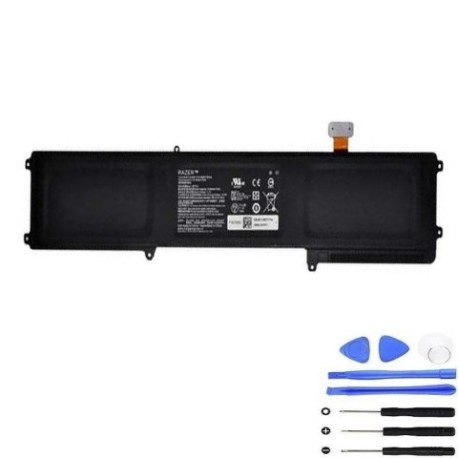
Is your Razer Blade laptop not holding charge like it used to? The Razer BETTY4 70Wh replacement battery restores your laptop’s performance and mobility. This high-quality battery is specifically designed for various Razer Blade models from 2016-2017.
Common signs you need a replacement
| Symptoms | Causes | Verification | Recommendation |
|---|---|---|---|
| Battery drains quickly | Ageing cells | Check battery health in system | Consider replacement |
| Laptop won’t power on without charger | Failed battery circuit | Test with power adapter only | Immediate replacement needed |
| Battery swelling or bulging | Internal damage | Visual inspection | Replace immediately for safety |
| Inconsistent charging | Worn connectors | Monitor charging patterns | Battery replacement advised |
How to check compatibility
Verify your laptop model matches one of the compatible models listed above. Check your laptop’s bottom label for the exact model number. You can also check in Windows System Information under “System Model”.
When to replace
Replace your battery when it holds less than 60% of its original capacity, shows physical damage, or fails to charge properly. Most Razer Blade batteries last 2-3 years with regular use.
Installation guide (overview)
Power off and unplug your laptop. Remove the bottom case screws. Carefully disconnect the old battery connector. Remove the old battery and install the new one. Reconnect the battery connector and reassemble. Always use proper tools and follow safety precautions.
Usage & care tips
Avoid extreme temperatures (ideal range 10-35°C). Don’t leave your laptop plugged in constantly. Calibrate your battery monthly by fully charging then discharging. Store in cool, dry conditions when not in use.
Safety & recycling in AU/NZ
Never puncture or disassemble batteries. Dispose of old batteries at authorised recycling centres. In Australia, use Batteryback or council e-waste services. In New Zealand, use recognised e-waste recyclers. Batteries contain hazardous materials – never put in household bins.
FAQ
How long does shipping take in Australia?
Most orders arrive within 3-7 business days depending on your location.
Is this battery genuine?
This is a high-quality replacement battery meeting original specifications.
What’s the warranty period?
This battery comes with a 12-month warranty against manufacturing defects.
Can I install it myself?
Yes, with basic technical skills and proper tools. Follow our installation guide carefully.
Will it work with my specific Razer Blade model?
Check the compatibility list above – if your model is listed, it will work perfectly.
How do I recycle my old battery?
Take it to any authorised battery recycling centre in your area – never dispose in regular waste.
What if my laptop isn’t in the compatibility list?
This battery is specifically designed for the listed models. Using it with incompatible devices may cause damage.