Battery models & part numbers
| Reference / P/N |
|---|
| Medion-A41-D17-45Wh |
Compatible laptop models
| Model |
|---|
| Medion 0B20-01D0000M |
| Medion 0B20-01HD0000M |
| Medion 40050713 |
| Medion 40050714 |
| Medion 40060430 |
| Medion 40060854 |
| Medion 40060855 |
| Medion A31-D17 |
| Medion A32-D17 |
| Medion A42-D17 |
| Medion Akoya E7415 |
| Medion Akoya E7415T |
| Medion Akoya E7416 |
| Medion Akoya E7416T |
| Medion Akoya E7419 |
| Medion Akoya E7420 |
| Medion Akoya E7421 |
| Medion Akoya E7423 |
| Medion Akoya E7424 |
| Medion Akoya E7425 |
| Medion Akoya E7641 |
| Medion Akoya P7202 |
| Medion Akoya P7637 |
| Medion Akoya P7639 |
| Medion Akoya P7641 |
| Medion Akoya P7643 |
| Medion Akoya P7645 |
| Medion Akoya P7648 |
| Medion Akoya P7653 |
| Medion D17L69H |
| Medion Erazer P7643 |
| Medion Erazer P7644 |
| Medion Erazer P7647 |
| Medion Erazer P7648 |
| Medion Erazer P7651 |
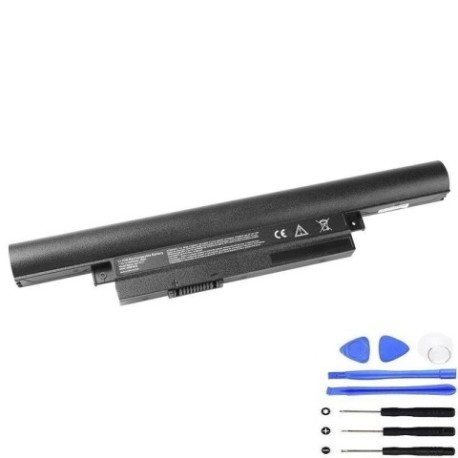
Introduction
Keep your Medion laptop running at peak performance with our genuine replacement battery. This 45Wh power solution is specifically designed for multiple Medion laptop models, ensuring reliable power delivery and extended usage time.
Common signs you need a replacement
| Symptoms | Causes | Verification | Recommendation |
|---|---|---|---|
| Battery drains quickly | Ageing cells | Check power settings | Consider replacement |
| Laptop won’t hold charge | Worn battery | Test with power meter | Replace battery |
| Swelling/bulging case | Internal damage | Visual inspection | Replace immediately |
| Overheating during use | Faulty components | Monitor temperature | Professional check |
How to check compatibility
Verify your laptop model matches one listed in our compatibility table. Check your current battery’s part number or consult your laptop’s documentation. All compatible models are clearly listed above for easy reference.
When to replace
Replace your battery when you notice significant performance decline, typically after 2-3 years of regular use. If your laptop shuts down unexpectedly or won’t charge properly, it’s time for a new battery.
Installation guide (overview)
Power off your laptop and disconnect from mains. Remove the bottom panel, disconnect the old battery, and install the new one following manufacturer guidelines. Always use proper tools and anti-static precautions.
Usage & care tips
Avoid extreme temperatures (store between 15-25°C), don’t leave charging continuously, and perform regular calibration cycles. Keep contacts clean and use authorised chargers only.
Safety & recycling in AU/NZ
Dispose of old batteries at designated recycling centres. Never incinerate or dispose in household waste. In Australia, use Batteryback or similar programmes. In New Zealand, utilise local council collection services.
FAQ
How long does delivery take?
Typically 3-7 business days within Australia and New Zealand.
Is this battery genuine?
Yes, this is an authorised replacement part meeting original specifications.
What warranty is provided?
12-month warranty covering manufacturing defects.
Can I install this myself?
Yes, with basic technical skills and proper tools.
What’s the battery capacity?
45Wh providing extended usage time.
Is recycling included?
We provide recycling information with each purchase.
Temperature operating range?
Optimal performance between 10-35°C.