Battery models & part numbers
| Reference / P/N |
|---|
| Lenovo L20C3PD4 |
| Lenovo L20D3PD4 |
| Lenovo L20L3PD4 |
| Lenovo-L20M3PD4-57Wh |
Compatible laptop models
| Model |
|---|
| Lenovo 5B11C73242 |
| Lenovo 5B11C73244 |
| Lenovo 5B11C73245 |
| Lenovo 5B11E24665 |
| Lenovo 5B11N52015 |
| Lenovo 5B11N52031 |
| Lenovo 5B11N52048 |
| Lenovo E14 Gen 3 (20Y7/20YD/20YE/20YF) |
| Lenovo SB11C73240 |
| Lenovo SB11C73241 |
| Lenovo SB11C73242 |
| Lenovo ThinkPad E14 Gen 2 (20T6) |
| Lenovo ThinkPad E14 Gen 2 (20T7) |
| Lenovo ThinkPad E14 Gen 2 (20TB) |
| Lenovo ThinkPad E14 Gen 3 (20Y7) |
| Lenovo ThinkPad E14 Gen 4 (21E3/21E4) |
| Lenovo ThinkPad E14 Gen 4 (21EB 21EC) |
| Lenovo ThinkPad E14 Gen 4 (21EB/21EC) |
| Lenovo ThinkPad E15 Gen 2 (20T8/20T9) |
| Lenovo ThinkPad E15 Gen 2 (20TD/20TE) |
| Lenovo ThinkPad E15 Gen 3 (20YG/20YH/20YJ/20YK) |
| Lenovo ThinkPad E15 Gen 4 (21ED/21EE) |
Introduction
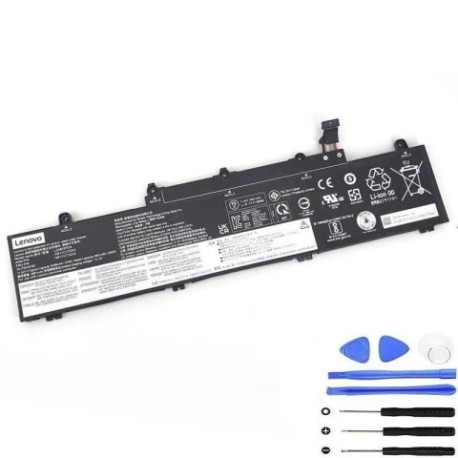
If your Lenovo laptop is showing signs of battery fatigue, our genuine replacement battery ensures optimal performance and safety. This 57Wh battery is specifically designed for various ThinkPad E14 and E15 models commonly used across Australia and New Zealand.
Common signs you need a replacement
| Symptom | Cause | Verification | Recommendation |
|---|---|---|---|
| Short battery life | Ageing cells | Check power settings | Consider replacement |
| Laptop shuts down unexpectedly | Voltage drops | Monitor battery health | Replace battery |
| Battery won’t charge fully | Charging circuit issues | Test with different charger | Replace if persistent |
| Battery swelling | Internal damage | Visual inspection | Replace immediately |
| Overheating during use | Inefficient cells | Check temperature | Replace for safety |
How to check compatibility
Verify your laptop model matches our compatibility list above. Check your current battery’s part number or look for model information on the bottom case of your laptop. For Australian and New Zealand customers, ensure you’re purchasing from authorised retailers.
When to replace
Replace your battery when it holds less than 50% of its original capacity, shows physical damage, or causes system instability. Most laptop batteries last 2-3 years with regular use in typical AU/NZ conditions.
Installation guide (overview)
Power off your laptop and disconnect all cables. Remove the bottom cover using appropriate screwdrivers. Disconnect the old battery connector and remove mounting screws. Install the new battery, reconnect the connector, and reassemble. Always refer to official Lenovo documentation for detailed instructions.
Usage & care tips
Store batteries at room temperature (15-25°C). Avoid complete discharges – recharge when battery reaches 20-30%. Don’t leave your laptop plugged in constantly. For optimal performance in Australian and New Zealand climates, avoid exposing batteries to extreme temperatures.
Safety & recycling in AU/NZ
Never attempt to open or modify batteries. Dispose of old batteries at authorised recycling centres. In Australia, use Batteryback or similar programmes. In New Zealand, utilise e-waste collection services. Batteries contain hazardous materials and must not go to landfill.
FAQ
How long does shipping take to AU/NZ?
Typically 7-14 business days depending on your location.
Is this battery genuine Lenovo?
Yes, this is an original Lenovo part with full compatibility.
What warranty do you offer?
12-month warranty covering manufacturing defects.
Can I install this myself?
Yes, with basic technical skills and proper tools.
Will this work with my Australian power adapter?
Yes, compatible with standard AU/NZ power supplies.
How do I recycle my old battery?
Take to any authorised e-waste recycling centre.
What’s the battery capacity?
57Wh providing several hours of typical use.