Battery models & part numbers
| Reference / P/N |
|---|
| L18C6PD1 |
| L18D6PD1 |
| L18M6PD1 |
| L18M6PD2 |
| Lenovo-L18M6PD1-48Wh |
| SB10K97655 |
| SB10T83167 |
| SB10T83168 |
| SB10T83169 |
Compatible laptop models
| Model |
|---|
| Lenovo 02DL017 |
| Lenovo 02DL018 |
| Lenovo 02DL019 |
| Lenovo 02DL020 |
| Lenovo 5B10W13923 |
| Lenovo 5B10W13924 |
| Lenovo 5B10W13925 |
| Lenovo 5B10W13926 |
| Lenovo 5B10W51841 |
| Lenovo 5B10W51842 |
| Lenovo 5B10W51843 |
| Lenovo 5B10W51844 |
| Lenovo ThinkPad X13 (20T2/20T3) |
| Lenovo ThinkPad X13 (20UF/20UG) |
| Lenovo ThinkPad X390 (20Q0/20Q1) |
| Lenovo ThinkPad X390 (20SD/20SC) |
| Lenovo ThinkPad X395 (20NL) |
| Lenovo ThinkPad X395 (20NM) |
| Lenovo X13 Gen 1 (20UF/20UG) |
| ThinkPad X13 X390 X395 |
Introduction
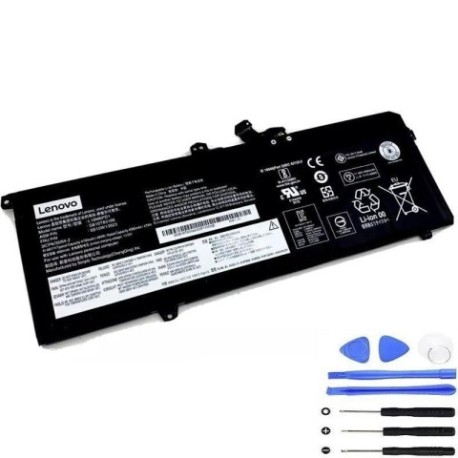
If your Lenovo ThinkPad X13, X390, or X395 laptop battery isn’t holding charge like it used to, you’ve come to the right place. Our genuine replacement battery restores your laptop’s mobility and performance.
Common signs you need a replacement
| Symptom | Cause | Verification | Recommendation |
|---|---|---|---|
| Short battery life | Ageing cells, reduced capacity | Check power settings, run battery report | Consider replacement if under 2 hours |
| Battery won’t charge fully | Worn-out battery, charging circuit issues | Monitor charging percentage over time | Replace if stuck below 80% capacity |
| Laptop shuts down unexpectedly | Battery can’t deliver stable power | Check event logs, battery health | Immediate replacement recommended |
| Battery swelling or overheating | Internal damage, safety hazard | Visual inspection, temperature check | Stop using immediately and replace |
| OS shows “consider replacing” | Battery nearing end of life | System battery status report | Plan replacement within weeks |
How to check compatibility
Verify your laptop model matches our compatibility list above. Check your current battery’s part number (usually printed on the battery) or look up your laptop’s model number in system information.
When to replace
Replace your battery when it holds less than 50% of its original capacity, shows physical damage, or causes system instability. Most Lenovo batteries last 2-3 years with regular use.
Installation guide (overview)
Power down your laptop completely. Remove the bottom cover screws, carefully disconnect the old battery connector, remove the old battery, install the new one, reconnect the connector, and reassemble. Always consult your device’s service manual for detailed instructions.
Usage & care tips
Keep your battery between 20-80% charge for daily use, avoid extreme temperatures (ideal range 15-25°C), and perform full discharge cycles monthly. Store in a cool, dry place if not used for extended periods.
Safety & recycling in AU/NZ
Never puncture or disassemble batteries. In Australia and New Zealand, take old batteries to authorised recycling centres. Many electronics retailers offer free battery recycling services.
FAQ
How long does shipping take to Australia/New Zealand?
Typically 7-14 business days depending on your location.
Is this battery genuine Lenovo?
Yes, this is an original Lenovo battery with full compatibility.
What’s the warranty period?
12 months warranty from date of purchase.
Can I install this battery myself?
Yes, with basic technical skills and proper tools. Follow safety guidelines.
How do I check my current battery health?
Use Lenovo Vantage software or Windows battery report feature.
What if my model isn’t on the compatibility list?
Contact our support team with your exact model number for verification.
Is overnight charging safe?
Modern laptops have protection circuits, but we recommend unplugging once fully charged.