Lenovo L18M4PF1 69WhLong Battery Replacement Guide
Find the perfect replacement battery for your Lenovo laptop with our comprehensive compatibility guide for Australian and New Zealand consumers.
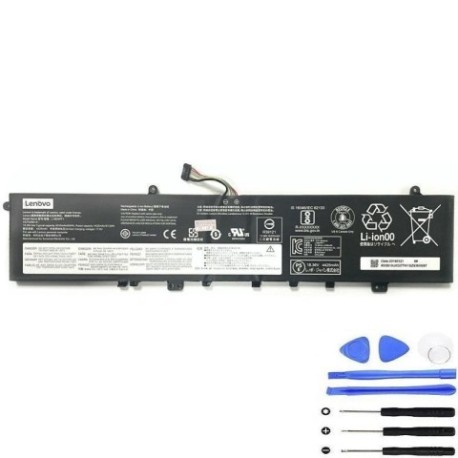
Battery models & part numbers
| Reference / P/N |
|---|
| L18D4PF1 |
| Lenovo-L18M4PF1-69WhLong |
Compatible laptop models
| Model |
|---|
| Lenovo 5B10U65276 |
| Lenovo 5B10U65277 |
| Lenovo 5B10W67244 |
| Lenovo 5B10W67392 |
| Lenovo Yoga 9-15IMH5 |
| Lenovo Yoga 9-15IMH5 (82DE) |
| Lenovo Yoga C940-15IRH |
| Lenovo Yoga C940-15IRH (81TE) |
Introduction
The Lenovo L18M4PF1 69WhLong battery is a high-quality replacement designed specifically for compatible Lenovo laptop models. This genuine replacement ensures optimal performance and reliability for your device.
Common signs you need a replacement
| Symptoms | Causes | Verification | Recommendation |
|---|---|---|---|
| Rapid battery drain | Ageing battery cells | Check battery health in system settings | Consider replacement if below 50% capacity |
| Laptop won’t hold charge | Failed battery components | Test with power adapter disconnected | Immediate replacement needed |
| Battery swelling | Internal chemical breakdown | Visual inspection of battery compartment | Replace immediately for safety |
| Overheating during use | Inefficient battery operation | Monitor temperature with software tools | Replace if consistently above 45°C |
How to check compatibility
Verify your laptop model matches one of the compatible models listed above. Check your laptop’s bottom label or system information in settings. Cross-reference with our compatibility table to ensure perfect fit.
When to replace
Replace your battery when you notice significant performance degradation, typically after 2-3 years of regular use. Immediate replacement is required for swollen batteries or complete failure to hold charge.
Installation guide (overview)
Power off your laptop and disconnect all cables. Remove the bottom panel using appropriate screwdrivers. Carefully disconnect the old battery and install the new L18M4PF1 battery, ensuring proper connection. Reassemble and charge fully before first use.
Usage & care tips
Avoid extreme temperatures (ideal range 15-25°C). Don’t leave your laptop plugged in constantly. Perform regular calibration by fully discharging and recharging monthly. Store in cool, dry conditions when not in use.
Safety & recycling in AU/NZ
Always purchase from authorised retailers. Damaged batteries should be handled with care and recycled properly. In Australia and New Zealand, use designated battery recycling centres. Never dispose of batteries in household waste.
FAQ
How long does the L18M4PF1 battery last?
Typically 2-3 years with normal use, providing up to 6-8 hours of runtime depending on usage patterns.
Is this battery compatible with my Yoga model?
Yes, if your model matches those listed in our compatibility table above.
Do I need professional installation?
While DIY installation is possible for experienced users, we recommend professional installation for warranty purposes.
What warranty does this battery have?
Check with the retailer for specific warranty details, typically 12 months from authorised sellers.
How do I recycle my old battery?
Use designated battery recycling centres available at most electronics retailers across Australia and New Zealand.
Can I use this battery with other Lenovo models?
Only with the specific models listed in our compatibility table to ensure proper fit and function.
What’s the charging time for this battery?
Approximately 3-4 hours for a full charge from empty, depending on your charger’s specifications.