Battery models & part numbers
| Reference / P/N |
|---|
| 01AV497 |
| 01AV498 |
| 5B10W13903 |
| 5B10W13904 |
| L17C6P51 |
| Lenovo-L17M6P52-99Wh |
| SB10K97636 |
| SB10K97637 |
Compatible laptop models
| Model |
|---|
| Lenovo ThinkPad P72 (20MB/20MC) |
| Lenovo ThinkPad P73 (20QR/20QS) |
Introduction
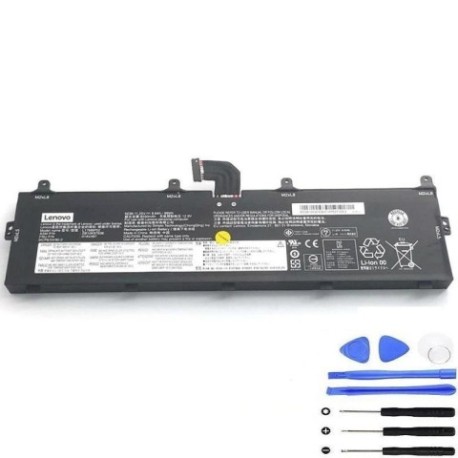
Keep your Lenovo ThinkPad P72 or P73 running at peak performance with our genuine replacement battery. This 99Wh power solution ensures maximum uptime for demanding professional workloads.
Common signs you need a replacement
| Symptoms | Causes | Verification | Recommendation |
|---|---|---|---|
| Battery drains quickly | Ageing cells, high cycles | Check battery health in Lenovo Vantage | Replace if capacity below 60% |
| Laptop shuts down unexpectedly | Voltage drops under load | Monitor during intensive tasks | Immediate replacement needed |
| Battery won’t charge fully | Charging circuit failure | Check charging indicator | Replace battery and check charger |
| Physical swelling or overheating | Internal damage, safety risk | Visual inspection, temperature check | Stop use immediately and replace |
How to check compatibility
Verify your laptop model matches our compatibility list above. Check your current battery part number (located on the battery label) against our reference numbers. For P72/P73 models, ensure you’re purchasing the correct 99Wh capacity variant.
When to replace
Replace your battery when runtime drops below 2 hours for normal use, when Lenovo Vantage shows health below 70%, or after 2-3 years of regular use. Swollen batteries require immediate replacement for safety.
Installation guide (overview)
Power off and unplug your laptop. Remove the bottom cover (consult your user manual). Disconnect the battery connector and remove mounting screws. Install the new battery, reconnect, and reassemble. Allow full charge before first use.
Usage & care tips
Avoid extreme temperatures (ideal range 10-35°C). Don’t leave laptop plugged in constantly – occasional discharge cycles help maintain battery health. Store in cool, dry conditions when not in use for extended periods.
Safety & recycling in AU/NZ
Never attempt to open or modify batteries. Dispose of old batteries at authorised collection points – most electronics retailers offer free battery recycling. In Australia, check B-cycle locations; in New Zealand, use recognised e-waste facilities.
FAQ
How long does shipping take in Australia?
Typically 3-7 business days depending on your location.
Is this battery genuine Lenovo?
Yes, we supply original equipment manufacturer batteries with full warranty.
What warranty do you offer?
12 months warranty covering manufacturing defects.
Can I use this battery in both P72 and P73 models?
Yes, the battery is cross-compatible with both P72 and P73 series.
How do I check my current battery health?
Use Lenovo Vantage software or check Windows battery report.
Do you ship to New Zealand?
Yes, we ship to both Australia and New Zealand with similar delivery times.
What if the battery doesn’t fit my laptop?
We offer returns within 30 days if the product is incompatible.