Battery models & part numbers
| Reference / P/N |
|---|
| Lenovo L17C4PB1 |
| Lenovo-L17M4PB1-79Wh |
Compatible laptop models
| Model |
|---|
| Lenovo 5B10P35082 |
| Lenovo 5B10P35083 |
| Lenovo 5B10P35084 |
| Lenovo IdeaPad 720S Touch |
| Lenovo IdeaPad 720S-15IKB (81AC/81CR) |
Introduction
If your Lenovo laptop is showing signs of battery fatigue, our genuine replacement batteries restore optimal performance. Authorised for Australian and New Zealand markets with full compatibility assurance.
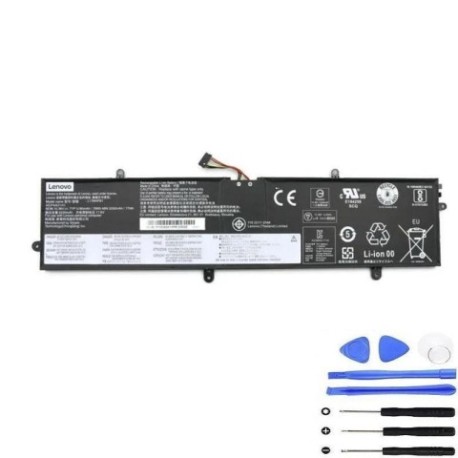
Common signs you need a replacement
| Symptom | Possible Cause | How to Verify | Recommendation |
|---|---|---|---|
| Short battery life | Ageing cells, reduced capacity | Check power settings, monitor discharge rate | Consider replacement if under 2 hours |
| Laptop shuts down unexpectedly | Battery cannot hold charge | Test with power adapter disconnected | Immediate replacement needed |
| Battery not charging fully | Faulty charging circuit or cells | Check charging indicator, battery health | Replace if stuck below 80% capacity |
| Physical swelling or overheating | Cell damage, internal short | Visual inspection, temperature check | Stop using immediately and replace |
| Incorrect battery percentage | Calibration issues, worn circuitry | Compare with actual runtime | Replace if consistently inaccurate |
How to check compatibility
Verify your laptop model matches our compatibility list above. Check your current battery’s part number or look for model information in system settings or on the original battery label.
When to replace
Replace your battery when runtime drops below 50% of original capacity, charging takes excessively long, or you notice physical changes like swelling. Most batteries need replacement after 2-3 years of regular use.
Installation guide (overview)
Power down your laptop completely. Remove the power adapter and any peripherals. Carefully remove the old battery following manufacturer guidelines. Align the new battery correctly and secure it in place. Allow full initial charge before first use.
Usage & care tips
Avoid extreme temperatures (ideal range 10°C to 35°C). Don’t leave your laptop plugged in constantly. Perform regular calibration cycles. Store in cool, dry conditions when not in use for extended periods.
Safety & recycling in AU/NZ
Never attempt to open or modify batteries. Dispose of old batteries at authorised recycling centres. In Australia, use Batteryback or similar programmes. In New Zealand, utilise official e-waste collection services.
FAQ
How long does shipping take in Australia?
Typically 3-7 business days depending on your location.
Is this battery genuine Lenovo?
Yes, these are authorised replacement parts with full compatibility.
What warranty do you offer?
All batteries come with 12 months warranty covering manufacturing defects.
Can I install this myself?
Yes, with basic technical skills and following proper safety procedures.
How do I recycle my old battery?
Take it to any authorised battery recycling centre in your area.
Will this improve my laptop’s performance?
Yes, a new battery restores original runtime and reliability.
Do you ship to New Zealand?
Yes, we ship throughout New Zealand with standard delivery options.