Lenovo L17M3PB1 45Wh Battery Replacement Guide
Find the perfect replacement battery for your Lenovo laptop with our comprehensive compatibility guide and expert installation advice.
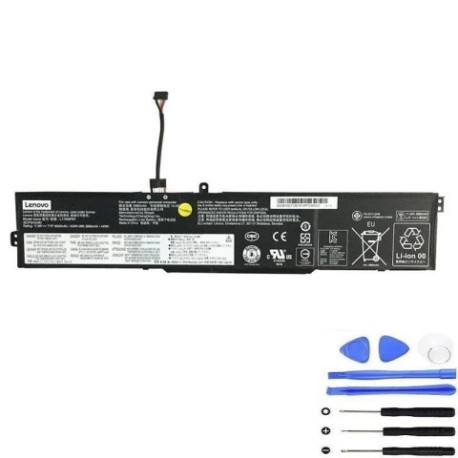
Battery models & part numbers
| Reference / P/N |
|---|
| L17C3PB0 |
| L17D3PB0 |
| Lenovo-L17M3PB1-45Wh |
Compatible laptop models
| Model |
|---|
| Lenovo 5B10Q71251 |
| Lenovo 5B10Q71252 |
| Lenovo 5B10Q71254 |
| Lenovo 5B10W67266 |
| Lenovo 5B10W67313 |
| Lenovo 5B10W67404 |
| Lenovo IdeaPad 330-15ICH |
| Lenovo IdeaPad 330-15ICH (81FK) |
| Lenovo IdeaPad 330-17ICH |
| Lenovo IdeaPad 330-17ICH (81FL) |
Introduction
The Lenovo L17M3PB1 45Wh battery is a high-quality replacement designed specifically for various Lenovo laptop models. This genuine-compatible battery ensures optimal performance and reliability for your computing needs.
Common signs you need a replacement
| Symptoms | Causes | Verification | Recommendation |
|---|---|---|---|
| Battery won’t hold charge | Ageing cells, frequent deep discharges | Check battery health in system settings | Replace if capacity below 60% |
| Laptop shuts down unexpectedly | Voltage drops, cell failure | Monitor battery percentage drops | Immediate replacement needed |
| Battery swelling or overheating | Internal short circuits, damage | Visual inspection, temperature check | Replace immediately for safety |
| Charging time significantly increased | Reduced battery efficiency | Time full charge cycle | Consider replacement if over 4 hours |
How to check compatibility
Verify your laptop model matches our compatibility list above. Check your current battery’s part number (usually printed on the battery) or look up your laptop’s model number from the system information or underside label.
When to replace
Replace your battery when it no longer holds sufficient charge for your needs, shows physical damage, or your system indicates poor battery health. Most batteries last 2-3 years with regular use.
Installation guide (overview)
Power off your laptop and disconnect from power. Remove the bottom panel, disconnect the old battery connector, remove mounting screws, install the new battery, reconnect the connector, and reassemble. Always refer to your laptop’s service manual for detailed instructions.
Usage & care tips
Avoid extreme temperatures (ideal range 15-25°C), don’t leave your laptop plugged in constantly, perform occasional full discharge cycles, and store in a cool, dry place when not in use for extended periods.
Safety & recycling in AU/NZ
Always purchase from authorised retailers. In Australia and New Zealand, recycle old batteries at designated collection centres – never dispose of in household waste. Damaged or swollen batteries should be handled with care and recycled immediately.
FAQ
How long does delivery take in Australia?
Typically 3-7 business days depending on your location.
Is this battery genuine Lenovo?
This is a high-quality compatible battery meeting original specifications.
What warranty is provided?
Most reputable suppliers offer 12-24 months warranty.
Can I install it myself?
Yes, with basic technical skills and proper tools, though professional installation is recommended.
How do I recycle my old battery?
Take it to any Battery World, Officeworks, or council recycling centre.
What’s the battery life expectancy?
Approximately 500 charge cycles or 2-3 years with normal use.
Does it come pre-charged?
Most batteries arrive with about 30-50% charge for storage safety.