Battery models & part numbers
| Reference / P/N |
|---|
| Lenovo-L13M4P02-54Wh |
Compatible laptop models
| Model |
|---|
| Lenovo 121500250 |
| Lenovo 35044556 |
| Lenovo 5B10K10190 |
| Lenovo L13N4P01 |
| Lenovo Y50 Y70 Y50-70 Y50-80 Y70-70 |
| Lenovo Y50-70 |
| Lenovo Y50-70 (20378) |
| Lenovo Y50-70 (5941845) |
| Lenovo Y50-70 (59421847) |
| Lenovo Y50-70 (59426157) |
| Lenovo Y50-70 (59428452) |
| Lenovo Y50-70 (59440646) |
| Lenovo Y50-70 Touch |
| Lenovo Y50-70 Touch (59420895) |
| Lenovo Y50-70 Touch (59421832) |
| Lenovo Y50-70 Touch (59436785) |
| Lenovo Y50-70 Touch (59436787) |
| Lenovo Y50-80 |
| Lenovo Y70-70 Touch (80DU) |
Introduction
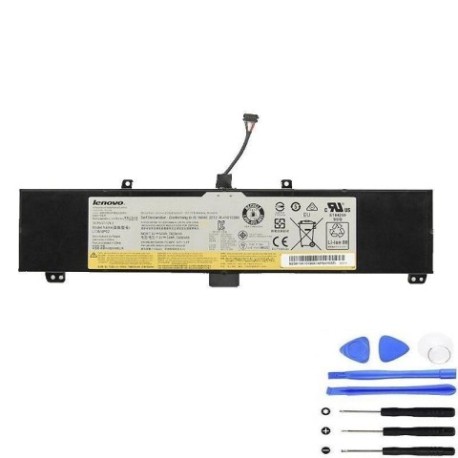
Keep your Lenovo laptop running smoothly with a genuine replacement battery. Our Lenovo L13M4P02 54Wh battery is authorised for a wide range of models, ensuring reliable performance and safety.
Common signs you need a replacement
| Symptom | Cause | Verification | Recommendation |
|---|---|---|---|
| Short battery life | Ageing cells | Check power settings | Replace battery |
| Laptop shuts down unexpectedly | Battery failure | Test with power adapter | Replace battery |
| Battery not charging | Faulty circuitry | Inspect charging port | Replace battery |
| Swelling or overheating | Internal damage | Visual inspection | Replace immediately |
How to check compatibility
Refer to the compatibility tables above or check your laptop’s model number on the bottom case or under the battery compartment. Ensure it matches exactly for optimal performance.
When to replace
Replace your battery if it holds less than 50% charge, shows physical damage, or causes system errors. Regular replacement every 2-3 years maintains peak laptop performance.
Installation guide (overview)
Power off and unplug your laptop. Remove the old battery by releasing latches or screws. Align the new battery connectors and secure it in place. Always follow manufacturer guidelines or seek professional help.
Usage & care tips
Avoid extreme temperatures; store between 10°C and 35°C. Calibrate monthly by fully charging and discharging. Use original chargers to prevent damage and extend battery life.
Safety & recycling in AU/NZ
Dispose of old batteries at authorised recycling centres. Never incinerate or dismantle batteries. In Australia and New Zealand, use local council e-waste services for safe disposal.
FAQ
How long does delivery take? Typically 3-7 business days across AU/NZ.
Is this battery genuine? Yes, it’s an authorised replacement part.
Can I install it myself? Yes, with basic tools and caution.
What’s the warranty? Standard 12-month warranty included.
Does it come charged? Partially charged; full charge recommended before first use.
Is recycling free? Yes, most council centres offer free battery recycling.
Compatible with other models? Only models listed in the tables above.