Battery models & part numbers
| Reference / P/N |
|---|
| Lenovo L08S6Y21 |
| Lenovo L09C6Y02 |
| Lenovo L09N6Y02 |
| Lenovo L10C6Y02 |
| Lenovo L10M6F21 |
| Lenovo L10P6F21 |
| Lenovo L10P6Y22 |
| Lenovo L10P6Y222 |
| Lenovo LO9L6Y02 |
| Lenovo-L09S6Y02-48Wh |
Compatible laptop models
| Model |
|---|
| Lenovo 121000938 |
| Lenovo 121000992 |
| Lenovo 121000994 |
| Lenovo 121001056 |
| Lenovo 121001071 |
| Lenovo 121001091 |
| Lenovo 121001094 |
| Lenovo 121001096 |
| Lenovo 121500087 |
| Lenovo 121500090 |
| Lenovo 121500091 |
| Lenovo 121500107 |
| Lenovo 35001563 |
| Lenovo 35002040 |
| Lenovo 35007180 |
| Lenovo 57Y6450 |
| Lenovo 57Y6454 |
| Lenovo 57Y6455 |
| Lenovo 57Y6629 |
| Lenovo 57Y6630 |
| Lenovo 57Y6632 |
| Lenovo 57Y6634 |
| Lenovo B570 |
| Lenovo B570 (1068) |
| Lenovo B570e (4760) |
| Lenovo B570e2 (5215) |
| Lenovo B575e (3685) |
| Lenovo Essential B570e |
| Lenovo Essential B575e |
| Lenovo Essential G570 |
| Lenovo G470 |
| Lenovo G470 (4328) |
| Lenovo G475 |
| Lenovo G475 (4360) |
| Lenovo IdeaPad G570 |
| Lenovo IdeaPad G575 |
| Lenovo IdeaPad G770 |
| Lenovo IdeaPad V570 |
| Lenovo IdeaPad Z370 |
| Lenovo IdeaPad Z570 |
| Lenovo IdeaPad Z575 |
Introduction
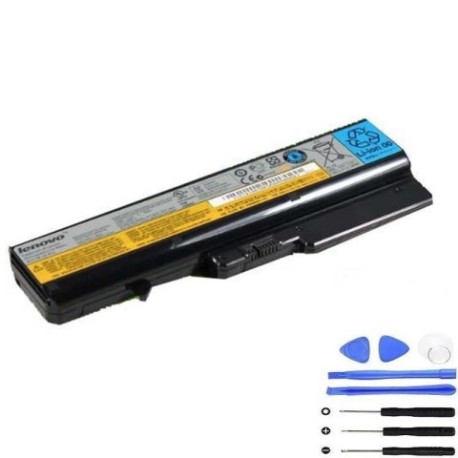
If your Lenovo laptop is showing signs of battery fatigue, our genuine replacement battery ensures optimal performance and safety. The Lenovo L09S6Y02 48Wh battery is designed specifically for compatibility with numerous Lenovo models across the Essential, IdeaPad, and B-series ranges.
Common signs you need a replacement
| Symptom | Cause | Verification | Recommendation |
|---|---|---|---|
| Short battery life | Ageing cells, reduced capacity | Check power settings, run diagnostics | Consider replacement if under 2 hours |
| Laptop won’t hold charge | Battery degradation, faulty cells | Test with power adapter removed | Replace if immediate shutdown occurs |
| Battery swelling | Internal gas buildup, safety hazard | Visual inspection, uneven surface | Replace immediately, do not use |
| Overheating during use | Inefficient power delivery | Monitor temperature, check vents | Replace if consistently hot |
| Charging indicator issues | Battery communication failure | Check LED behaviour, system reports | Replace if charging status unreliable |
How to check compatibility
Verify your laptop model matches our compatibility list above. Check your current battery’s part number (usually printed on the battery itself) or look up your laptop’s model number in system information. Cross-reference with our authorised compatibility database for guaranteed fit.
When to replace
Replace your battery when runtime drops below 50% of original capacity, physical damage is visible, or safety warnings appear. Most Lenovo batteries last 2-3 years with regular use. Consider proactive replacement if you rely on mobile computing for work or study.
Installation guide (overview)
1. Power off laptop and disconnect charger
2. Remove battery compartment cover or slide release latch
3. Carefully disconnect old battery connector
4. Insert new battery and secure connection
5. Replace cover and charge fully before first use
Always consult your device manual for model-specific instructions.
Usage & care tips
• Avoid complete discharge cycles – recharge at 20-30%
• Store in cool, dry conditions (15-25°C ideal)
• Use only authorised Lenovo chargers
• Calibrate monthly by fully charging then discharging
• Keep contacts clean and free from debris
Safety & recycling in AU/NZ
Never dispose of batteries in household waste. In Australia and New Zealand, take used batteries to authorised collection centres. Many electronics retailers offer free battery recycling services. Damaged or swollen batteries require special handling – contact your local waste management centre for guidance.
FAQ
How long does shipping take to AU/NZ?
Typically 7-14 business days with tracking provided.
Is this battery genuine Lenovo?
Yes, all our batteries are authentic Lenovo parts with full warranty.
What’s the warranty period?
12 months warranty covering manufacturing defects.
Can I install this myself?
Most models feature user-replaceable batteries – follow our installation guide.
How do I recycle my old battery?
Use Batteryback or similar programmes available at major retailers.
Will this improve my laptop’s performance?
Yes, a new battery restores original runtime and reliability.
What if my model isn’t listed?
Contact our support team for personalised compatibility checking.