Battery models & part numbers
| Reference / P/N |
|---|
| 45N1084 |
| 45N1085 |
| 45N1087 |
| 4ICP9/52/61 |
| Lenovo-45N1086-48Wh |
Compatible laptop models
| Model |
|---|
| Lenovo ThinkPad Edge S230Us |
| Lenovo ThinkPad Edge S420s |
| Lenovo ThinkPad Edge S430s |
Introduction
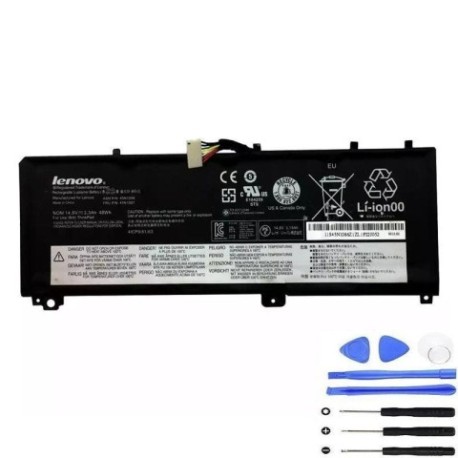
Keep your Lenovo ThinkPad running at peak performance with our genuine replacement battery. The Lenovo 45N1086 48Wh battery is engineered for reliability and long-lasting power, ensuring you stay productive throughout your workday.
Common signs you need a replacement
| Symptoms | Causes | Verification | Recommendation |
|---|---|---|---|
| Battery drains quickly | Ageing cells, reduced capacity | Check battery health in system settings | Consider replacement if under 50% capacity |
| Laptop shuts down unexpectedly | Voltage drops under load | Monitor battery percentage during use | Replace if occurring regularly |
| Battery won’t hold charge | Failed cells, internal damage | Test with different power adapter | Immediate replacement needed |
| Battery swelling or overheating | Internal short circuit | Visual inspection, temperature check | Stop using immediately and replace |
How to check compatibility
Verify your laptop model matches the compatible models listed above. Check your current battery’s part number (usually printed on the battery) against our reference list. For additional confirmation, consult your laptop’s original documentation or Lenovo’s official support centre.
When to replace
Replace your battery when you notice significant performance degradation, typically after 2-3 years of regular use. If your battery capacity drops below 60% of its original specification or shows physical damage like swelling, immediate replacement is recommended for safety and optimal performance.
Installation guide (overview)
Power off your laptop and disconnect all cables. Remove the bottom panel (consult your model’s service manual). Disconnect the battery connector and remove any securing screws. Install the new battery, reconnect the connector, and reassemble. Allow the battery to charge fully before first use.
Usage & care tips
For optimal battery life, avoid extreme temperatures (operate between 10°C and 35°C). Calibrate your battery monthly by fully charging then discharging to 10%. Store in a cool, dry place if not used for extended periods. Use only authorised Lenovo power adapters.
Safety & recycling in AU/NZ
Never attempt to open or modify the battery. Dispose of old batteries at authorised recycling centres – most electronics retailers offer free battery recycling services. In Australia, check with the Australian Battery Recycling Initiative; in New Zealand, use the Recycle-more programme.
FAQ
How long does shipping take to Australia/New Zealand?
Most orders arrive within 7-10 business days for metro areas, with rural locations taking slightly longer.
Is this battery genuine Lenovo?
Yes, this is an authentic Lenovo replacement battery with full manufacturer warranty.
What’s the battery warranty period?
This battery comes with a 12-month warranty covering manufacturing defects.
Can I use this battery with newer ThinkPad models?
No, this battery is specifically designed for the compatible models listed above only.
How do I check my current battery’s health?
Use Lenovo Vantage software or Windows battery report to view current capacity and health status.
Is installation difficult?
Most users find battery replacement straightforward, but if unsure, consult a professional technician.
What if my laptop model isn’t listed?
This battery is only compatible with the specified models. Check our website for other battery options.