Lenovo 42T5264 57Wh Replacement Battery
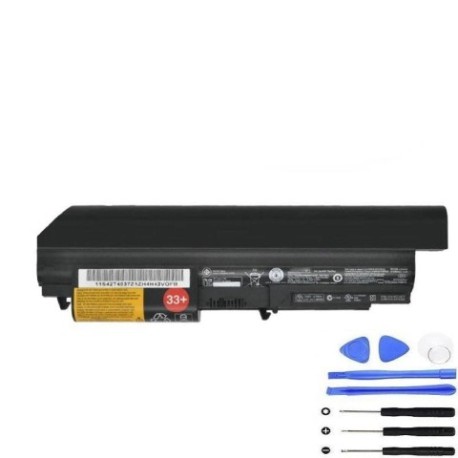
Battery models & part numbers
| Reference / P/N |
|---|
| Lenovo-42T5264-57Wh |
Compatible laptop models
| Model |
|---|
| IBM ThinkPad R400 |
| IBM ThinkPad R61 |
| IBM ThinkPad R61i |
| IBM ThinkPad T400 |
| Lenovo 41U3198 |
| Lenovo 42T4552 |
| Lenovo 42T4653 |
| Lenovo 42T4654 |
| Lenovo 42T4677 |
| Lenovo 42T4678 |
| Lenovo 42T4742 |
| Lenovo 42T5230 |
| Lenovo 42T5262 |
| Lenovo 42T5263 |
| Lenovo 42T5264 33+ |
| Lenovo 42T5265 |
| Lenovo 45J7969 |
| Lenovo ThinkPad R400 |
| Lenovo ThinkPad R61 |
| Lenovo ThinkPad R61e |
| Lenovo ThinkPad R61i |
| Lenovo ThinkPad T400 |
| Lenovo ThinkPad T61 |
Introduction
Keep your Lenovo or IBM ThinkPad running at peak performance with our genuine replacement battery. The Lenovo 42T5264 57Wh battery is designed specifically for compatibility with multiple ThinkPad models across both IBM and Lenovo brands.
Common signs you need a replacement
| Symptoms | Causes | Verification | Recommendation |
|---|---|---|---|
| Battery drains quickly (under 1 hour) | Ageing cells, reduced capacity | Check battery health in system settings | Replace if capacity below 50% |
| Laptop won’t hold charge | Failed battery circuitry | Test with power adapter removed | Immediate replacement needed |
| Battery swelling or overheating | Internal damage, safety risk | Visual inspection, temperature check | Replace immediately, recycle old battery |
| Inconsistent charging | Worn connectors, faulty BMS | Monitor charging percentage | Replace if pattern continues |
How to check compatibility
Verify your laptop model matches one of the compatible models listed above. Check your laptop’s bottom label or system information for the exact model number. For Australian and New Zealand customers, ensure you’re purchasing from authorised suppliers to guarantee compatibility and warranty coverage.
When to replace
Consider replacement when your battery lasts less than 60 minutes, shows physical damage, or fails to charge properly. Most laptop batteries need replacement every 2-3 years with regular use in AU/NZ conditions.
Installation guide (overview)
1. Power off laptop and disconnect from power
2. Remove the old battery by sliding the release latch
3. Align new battery with connectors and press firmly
4. Charge fully before first use (4-6 hours)
5. Calibrate by draining to 10% then charging to 100%
Usage & care tips
• Avoid extreme temperatures (ideal range 15-25°C)
• Store in cool, dry conditions when not in use
• Perform full discharge cycles monthly
• Don’t leave plugged in constantly after full charge
• Use original Lenovo chargers for optimal performance
Safety & recycling in AU/NZ
In Australia and New Zealand, battery recycling is mandatory. Take old batteries to authorised collection centres like Officeworks, Battery World, or council recycling facilities. Never dispose of lithium batteries in household waste due to fire risk and environmental concerns.
FAQ
How long does delivery take in Australia?
Most orders delivered within 3-7 business days to metro areas, slightly longer for regional locations.
Is this battery genuine Lenovo?
Yes, this is an original Lenovo part number 42T5264 with full compatibility and performance specifications.
What warranty is offered?
12-month warranty covering manufacturing defects and performance issues.
Will this work with my IBM ThinkPad?
Yes, fully compatible with IBM ThinkPad models listed in our compatibility table.
How do I recycle my old battery in NZ?
Use the Recycle Mate app or visit council transfer stations for proper lithium battery disposal.
What’s the battery capacity?
57Wh capacity providing 3-5 hours typical usage depending on laptop model and settings.
Is installation difficult?
No, most ThinkPad batteries are user-replaceable with simple latch mechanisms – no tools required.