HP TT03XL 56Wh Battery Replacement Guide
Find the perfect replacement battery for your HP laptop with our comprehensive AU/NZ guide. This HP TT03XL 56Wh battery is compatible with multiple EliteBook and ZBook models.
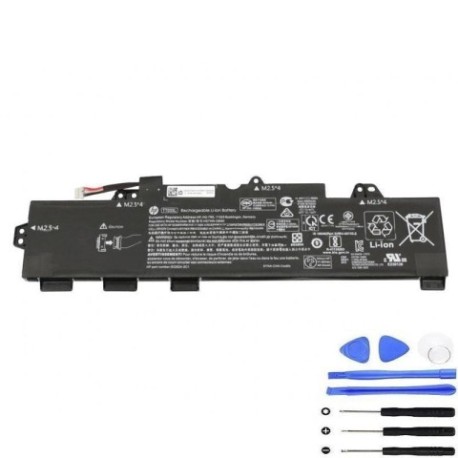
Battery models & part numbers
| Reference / P/N |
|---|
| HP 932824-2C1 |
| HP 933322-006 |
| HP 933322-852 |
| HP 933322-855 |
| HP 933322-855BU |
| HP HSN-I17C-5 |
| HP HSTNN-DB8K |
| HP TT03 |
| HP TT03056XL-PL |
| HP TT03XL |
| HP-TT03XL-56Wh |
Compatible laptop models
| Model |
|---|
| HP EliteBook 755 G5s |
| HP EliteBook 850 G5s |
| HP EliteBook 850 G6s |
| HP ZBook 15u G5s |
| HP ZBook 15u G6s |
Introduction
The HP TT03XL 56Wh battery is a high-quality replacement designed for business-grade HP laptops. This battery meets original specifications and provides reliable power for your mobile computing needs across Australia and New Zealand.
Common signs you need a replacement
| Symptom | Cause | Verification | Recommendation |
|---|---|---|---|
| Short battery life | Ageing cells | Check battery health in HP Support Assistant | Replace if under 2 hours runtime |
| Battery won’t charge | Faulty battery circuit | Try different power adapter | Replace battery immediately |
| Laptop shuts down unexpectedly | Voltage drops | Monitor battery percentage drops | Replace to prevent data loss |
| Battery swelling | Internal damage | Visual inspection | Replace urgently for safety |
How to check compatibility
Check your laptop’s model number on the bottom case or in System Information. Verify against our compatibility tables above. You can also check your current battery’s part number by removing it and reading the label.
When to replace
Replace your battery when it holds less than 50% of its original capacity, shows physical damage, or fails to charge properly. Most HP batteries last 2-3 years with regular use.
Installation guide (overview)
1. Power off laptop and disconnect charger
2. Remove bottom panel screws
3. Carefully disconnect old battery connector
4. Remove mounting screws
5. Install new battery and reconnect
6. Replace panel and power on
Usage & care tips
• Avoid complete discharges
• Store between 15-25°C
• Calibrate monthly by full charge/discharge cycle
• Use authorised HP chargers
• Keep contacts clean
Safety & recycling in AU/NZ
In Australia and New Zealand, lithium-ion batteries must be recycled at designated collection points. Never dispose of batteries in household waste. Check with your local council for battery recycling programmes.
FAQ
How long does shipping take in AU/NZ?
Typically 3-7 business days depending on your location.
Is this battery genuine HP?
This is a high-quality replacement that meets original specifications.
What warranty is provided?
Most suppliers offer 12-24 months warranty in Australia and New Zealand.
Can I install this myself?
Yes, with basic technical skills and proper tools.
How do I maximise battery life?
Avoid extreme temperatures and deep discharges.
Is overnight charging safe?
Modern laptops have protection circuits, but unplugging when full is recommended.
What if my model isn’t listed?
Double-check your laptop’s exact model number and battery part number.