HP PE03XL 36Wh Battery Replacement Guide
Find the perfect replacement battery for your HP Chromebook with our comprehensive compatibility guide and installation tips.
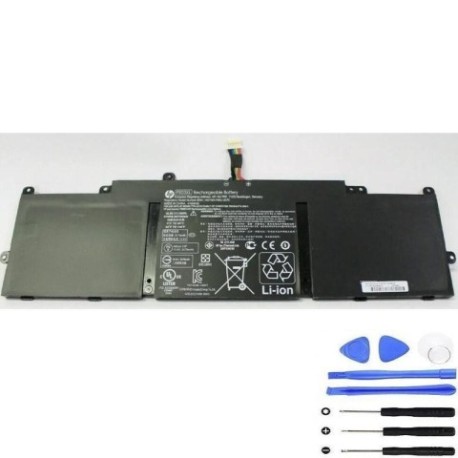
Battery models & part numbers
| Reference / P/N |
|---|
| HP 766801-851 |
| HP 767068-005 |
| HP HSTNN-LB6M |
| HP PE03 |
| HP PE03036XL |
| HP TPN-Q146 |
| HP TPN-Q147 |
| HP-PE03XL-36Wh |
Compatible laptop models
| Model |
|---|
| HP Chromebook 11 G3 G4s |
| HP Chromebook 210 G1s |
Introduction
The HP PE03XL 36Wh battery is a high-quality replacement power solution designed specifically for compatible HP Chromebook models. This genuine replacement ensures optimal performance and reliability for your device.
Common signs you need a replacement
| Symptom | Cause | Verification | Recommendation |
|---|---|---|---|
| Short battery life | Ageing cells | Check power settings | Replace battery |
| Swelling battery | Internal damage | Visual inspection | Immediate replacement |
| Not holding charge | Worn components | Battery health test | New battery required |
| Overheating | Faulty cells | Temperature check | Safety replacement |
How to check compatibility
Verify your laptop model matches our compatibility list above. Check your current battery’s part number located on the battery label. Ensure physical dimensions match: approximately 200mm × 100mm × 10mm.
When to replace
Replace your battery when runtime drops below 50% of original capacity, physical swelling occurs, or the battery no longer holds a charge. Most HP batteries last 2-3 years with regular use.
Installation guide (overview)
Power off your Chromebook and disconnect all cables. Remove the bottom panel screws, carefully disconnect the old battery connector, and install the new HP PE03XL 36Wh battery. Reassemble and charge fully before first use.
Usage & care tips
Avoid extreme temperatures (ideal range 15-25°C). Don’t leave your Chromebook plugged in constantly. Perform partial discharges rather than full cycles. Store in a cool, dry place when not in use.
Safety & recycling in AU/NZ
Never attempt to open or modify the battery. Dispose of old batteries at authorised recycling centres. In Australia, use Batteryback or similar programmes. In New Zealand, utilise local council e-waste services.
FAQ
How long does delivery take in Australia?
Most metropolitan areas receive delivery within 3-5 business days. Regional areas may take 5-7 business days.
Is this battery genuine HP?
Yes, this is a genuine HP replacement battery with full compatibility and warranty.
What’s the warranty period?
This battery comes with a 12-month warranty covering manufacturing defects.
Can I install it myself?
Yes, with basic technical skills and proper tools. Follow our installation guide carefully.
How do I recycle my old battery?
Take it to any authorised battery recycling centre or electronics retailer offering take-back services.
What’s the battery capacity?
This is a 36Wh lithium-ion battery providing optimal performance for compatible HP Chromebooks.
Will it work with my specific model?
Check the compatibility tables above – if your model or part number is listed, it will work perfectly.