HP OL02XL 33Wh Battery Replacement Guide
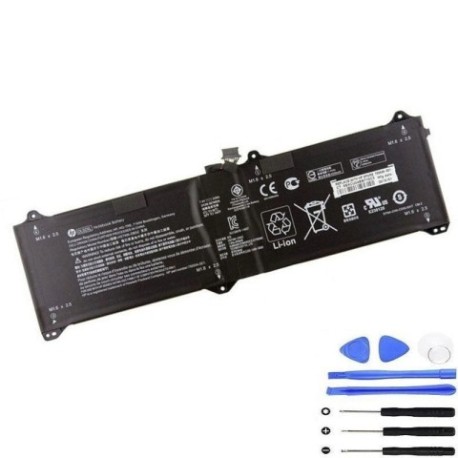
Battery models & part numbers
| Reference / P/N |
|---|
| HP 750334-2C1 |
| HP 750549-001 |
| HP 750549-005 |
| HP 750549-006 |
| HP HSTNN-DB5Z |
| HP OL02033XL |
| HP OL02033XL-PL |
| HP-OL02XL-33Wh |
Compatible laptop models
| Model |
|---|
| HP Elite x2 1011 G1 |
Introduction
Keep your HP Elite x2 1011 G1 running at peak performance with our genuine replacement battery. This 33Wh power solution is designed to meet original equipment specifications and restore your device’s mobility.
Common signs you need a replacement
| Symptom | Cause | Verification | Recommendation |
|---|---|---|---|
| Battery drains quickly | Reduced capacity from age/cycles | Check battery health in Windows | Consider replacement if below 60% |
| Laptop won’t hold charge | Battery failure or worn cells | Test with different power adapter | Replace battery immediately |
| Battery swelling | Internal damage or overheating | Visual inspection of battery compartment | Stop using and replace urgently |
| Overheating during use | Inefficient battery operation | Monitor temperature with software | Replace if consistently over 45°C |
How to check compatibility
Verify your current battery part number matches one listed above, or confirm your laptop model is HP Elite x2 1011 G1. Check your original battery label or use HP Support Assistant for automatic detection.
When to replace
Replace your battery when runtime drops below 2 hours, swelling occurs, or your device shows “Replace Battery” warnings. Most batteries last 2-3 years with regular use.
Installation guide (overview)
Power off your device and disconnect all cables. Remove the back cover using appropriate tools, disconnect the old battery connector, and install the new battery. Reassemble and charge fully before first use. For detailed instructions, consult HP’s official service manual or seek professional installation.
Usage & care tips
Avoid extreme temperatures (ideal range 15-25°C), don’t leave your laptop plugged in constantly, and perform regular calibration cycles. Store in cool, dry conditions when not in use for extended periods.
Safety & recycling in AU/NZ
Always purchase from authorised retailers. In Australia and New Zealand, dispose of old batteries at designated recycling centres – never in household waste. Many electronics retailers offer free battery recycling services.
FAQ
How long does shipping take within Australia?
Most orders arrive within 3-7 business days depending on your location.
Is this battery genuine HP?
Yes, this is an original HP battery meeting all manufacturer specifications.
What warranty do you offer?
All our batteries come with a 12-month warranty covering manufacturing defects.
Can I install this battery myself?
Yes, with basic technical skills and proper tools. However, we recommend professional installation if unsure.
How do I recycle my old battery?
Take it to any Officeworks, JB Hi-Fi, or other participating electronics retailers for free recycling.
Will this battery work with my charger?
Yes, it’s compatible with all original HP chargers for the Elite x2 1011 G1.
What’s the battery capacity?
This is a 33Wh lithium-ion battery providing approximately 4-6 hours of typical use.