Battery models & part numbers
| Reference / P/N |
|---|
| HP F3B94AA |
| HP HG011307-C2T14J01 |
| HP HSTNN-IB5S |
| HP HSTNN-LB5S |
| HP HSTNN-LB5Y |
| HP HSTNN-PB5S |
| HP HSTNN-PB5Y |
| HP J1U99AA |
| HP OA04 |
| HP OA04041-CL |
| HP OA04-41Wh |
| HP TPN-C113 |
| HP TPN-C114 |
| HP TPN-F112 |
| HP TPN-F113 |
| HP TPN-F114 |
| HP TPN-F115 |
| HP 740004-121 |
| HP 740004-421 |
| HP 740004-422 |
| HP 740004-851 |
| HP 740659-800 |
| HP 740715-001 |
| HP 746458-141 |
| HP 746458-421 |
| HP 746458-851 |
| HP 746641-001 |
Compatible laptop models
| Model |
|---|
| HP 14-d000s |
| HP 14-D1xxs |
| HP 14-g000s |
| HP 14-g100s |
| HP 14-r000s |
| HP 14-r100s |
| HP 14-r200s |
| HP 14T-r000s |
| HP 15-d000s |
| HP 15-D1xxs |
| HP 15-g000s |
| HP 15-g100s |
| HP 15-g200s |
| HP 15-g300s |
| HP 15-g500s |
| HP 15-r000s |
| HP 15-r100s |
| HP 15-r200s |
| HP 15t-r000s |
| HP 15t-r100s |
| HP 15z-g000s |
| HP 15z-g100s |
| HP 240 G2s |
| HP 240 G3s |
| HP 245 G2s |
| HP 245 G3s |
| HP 245 G4s |
| HP 246 G3s |
| HP 250 G2s |
| HP 250 G3s |
| HP 255 G2s |
| HP 255 G3s |
| HP 256 G3s |
| HP Compaq 15s |
| HP Compaq 15-a000s |
| HP Compaq 15-h000s |
| HP Compaq 15-h200s |
| HP Compaq 15-s100s |
| HP Compaq 15-s200s |
| HP CQ14 CQ15s |
| HP Essential 14-r000s |
| HP Essential 14-r100s |
| HP TouchSmart 15-r100s |
Introduction
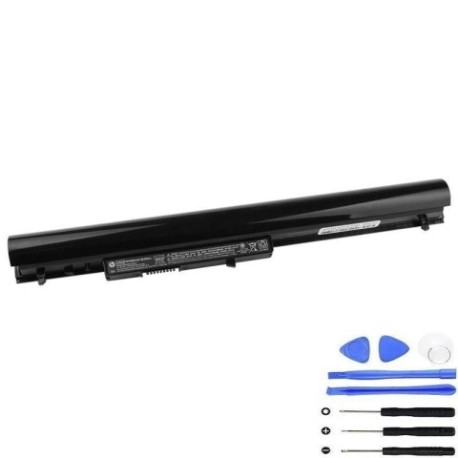
Keep your HP laptop running smoothly with a genuine HP OA04 41Wh replacement battery. Compatible with a wide range of HP models, this battery ensures reliable performance for work, study, or leisure across Australia and New Zealand.
Common signs you need a replacement
| Symptom | Cause | How to check | Recommendation |
|---|---|---|---|
| Short battery life | Ageing cells, reduced capacity | Check power settings, run diagnostics | Replace if under 50% original runtime |
| Laptop won’t hold charge | Faulty battery circuit | Test with charger disconnected | Replace immediately |
| Swelling or overheating | Internal damage, safety risk | Visual inspection, feel for heat | Stop use and replace urgently |
| Random shutdowns | Voltage drops under load | Monitor during heavy tasks | Replace to prevent data loss |
How to check compatibility
Verify your laptop model and part number match the lists above. Check your current battery’s label or use HP’s online support tool. Ensure physical dimensions align (typically around 205mm x 50mm x 20mm).
When to replace
Replace your battery when runtime drops significantly, it fails to charge fully, or shows physical damage. In AU/NZ, consider replacement every 2–3 years for optimal performance.
Installation guide (overview)
Power off and unplug your laptop. Remove the old battery by releasing latches or screws. Insert the new HP OA04 battery, ensuring connectors align. Secure it and power on to calibrate.
Usage & care tips
Avoid full discharges; charge between 20–80% for longevity. Store in cool, dry places (15–25°C ideal). Use only authorised HP chargers. Calibrate monthly by fully charging and discharging once.
Safety & recycling in AU/NZ
Do not expose to extreme heat or puncture damaged batteries. In Australia, recycle via Batteryback or council e-waste programmes. In New Zealand, use accredited recyclers like TechCollect NZ.
FAQ
How long does the HP OA04 battery last?
Up to 4–5 hours typical use, depending on model and settings.
Is this battery genuine HP?
Yes, it meets HP specifications and is fully compatible.
Can I replace it myself?
Yes, most models allow user replacement; follow our guide.
What’s the warranty?
Check product page for current warranty details (usually 12 months).
How do I recycle my old battery?
Use local e-waste services; never dispose in household bins.
Will it work with my HP charger?
Yes, it’s designed for standard HP chargers.
What if my model isn’t listed?
Double-check your part number or contact support for confirmation.