HP NB02 28Wh Battery Replacement Guide
Find the perfect replacement battery for your HP laptop with our comprehensive compatibility guide and installation instructions.
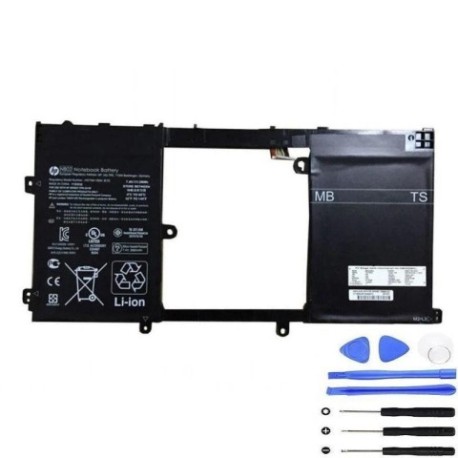
Battery models & part numbers
| Reference / P/N |
|---|
| 722232-005 |
| 726241-851 |
| HP-NB02-28Wh |
| HSTNN-YB5K |
| TPN-Q128 |
Compatible laptop models
| Model |
|---|
| HP Pavilion 11 x2 |
| HP Pavilion 11-h000 11-h100 x2 |
| HP Pavilion 11t-h100 CTO x2 |
Introduction
The HP NB02 28Wh battery is a high-quality replacement designed specifically for HP Pavilion 11 series laptops. This genuine-compatible battery ensures optimal performance and reliability for your device.
Common signs you need a replacement
| Symptoms | Causes | Verification | Recommendation |
|---|---|---|---|
| Rapid power drain | Ageing battery cells | Check battery health in system settings | Replace if capacity below 50% |
| Laptop won’t hold charge | Degraded battery chemistry | Monitor charge duration | Immediate replacement needed |
| Battery swelling | Internal damage or overheating | Visual inspection | Replace immediately for safety |
| Overheating during use | Failing battery components | Temperature monitoring | Replace to prevent damage |
How to check compatibility
Verify your laptop model matches our compatibility list above. Check your current battery’s part number (usually printed on the battery) against our reference numbers. For HP Pavilion 11 series, ensure your specific model variant is listed.
When to replace
Replace your battery when you notice significant performance degradation, typically after 2-3 years of regular use. Immediate replacement is required for swollen batteries or those that no longer hold charge.
Installation guide (overview)
Power off your laptop and disconnect all cables. Remove the bottom panel using a Phillips screwdriver. Disconnect the old battery connector and remove any securing screws. Install the new HP NB02 28Wh battery, reconnect the connector, and reassemble your laptop.
Usage & care tips
For optimal battery life, avoid complete discharges and store your laptop in temperatures between 10°C and 35°C. Calibrate your new battery by charging to 100% and then discharging completely once every 2-3 months.
Safety & recycling in AU/NZ
Always purchase from authorised retailers. Do not attempt to open or modify the battery. In Australia and New Zealand, dispose of old batteries at designated recycling centres. Never dispose of lithium batteries in household waste.
FAQ
How long does the HP NB02 28Wh battery last?
Typically 2-4 hours depending on usage and laptop settings. High-performance tasks will drain the battery faster.
Is this battery compatible with my HP Pavilion 11?
Yes, if your model matches our compatibility list above. Check your specific model number before purchasing.
Do you provide warranty in Australia and New Zealand?
Yes, we offer a 12-month warranty through authorised retailers in both countries.
How do I recycle my old battery?
Take it to any Battery World store or designated recycling centre in your area. Many office supply stores also accept battery recycling.
Can I install this battery myself?
Yes, with basic technical skills and the proper tools. Follow our installation guide and ensure you have the correct screwdrivers.
What if my laptop model isn’t listed?
Contact our support team with your exact model number for verification. Do not purchase if your model isn’t confirmed as compatible.
How long does shipping take in AU/NZ?
Typically 3-7 business days within Australia and New Zealand, depending on your location.