HP ME03XL 37Wh Battery Replacement Guide
Find the perfect replacement battery for your HP Stream laptop with our comprehensive compatibility guide for Australian and New Zealand customers.
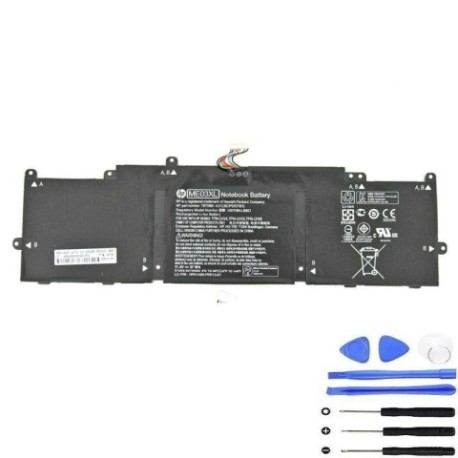
Battery models & part numbers
| Reference / P/N |
|---|
| 787089-421 |
| 787089-541 |
| 787089-542 |
| 787521-005 |
| HSTNN-LB6O |
| HSTNN-UB6M |
| HP-ME03XL-37Wh |
| ME03037XL |
| ME03037XL-PR |
| TPN-Q154 |
| TPN-Q155 |
| TPN-Q156 |
Compatible laptop models
| Model |
|---|
| HP Stream 11-d000s |
| HP Stream 13-c000s |
Introduction
The HP ME03XL 37Wh battery is designed as a direct replacement for various HP Stream laptop models commonly used across Australia and New Zealand. This high-quality battery ensures your device maintains optimal performance and mobility.
Common signs you need a replacement
| Symptoms | Causes | Verification | Recommendation |
|---|---|---|---|
| Rapid power drain | Ageing battery cells | Check battery health in system settings | Consider replacement if under 2 hours runtime |
| Laptop won’t hold charge | Battery degradation | Test with power adapter disconnected | Replace immediately if fails power test |
| Battery swelling | Internal damage or overheating | Visual inspection of battery compartment | Replace urgently – safety hazard |
| Inconsistent charging | Faulty battery circuitry | Monitor charging percentage fluctuations | Replace to prevent damage to laptop |
How to check compatibility
Verify your laptop’s compatibility by checking the part number on your current battery or consulting your device’s specifications in system information. Cross-reference with our compatibility tables above.
When to replace
Replace your battery when you notice significant performance decline, typically after 2-3 years of regular use or when battery health drops below 70% capacity.
Installation guide (overview)
Power off your laptop and disconnect all cables. Remove the bottom panel, disconnect the old battery connector, and carefully install the new HP ME03XL 37Wh battery. Reassemble and charge fully before first use.
Usage & care tips
For optimal battery life, avoid extreme temperatures, maintain charge between 20-80% for daily use, and perform full discharge cycles monthly. Store in cool, dry conditions when not in use.
Safety & recycling in AU/NZ
Always purchase from authorised retailers. In Australia and New Zealand, dispose of old batteries at designated recycling centres – never in household waste. Check with your local council for battery recycling options.
FAQ
How long does the HP ME03XL 37Wh battery last?
Typically 3-5 hours depending on usage, with approximately 500 charge cycles before noticeable degradation.
Is this battery compatible with my HP Stream laptop?
Yes, if your model matches those listed in our compatibility tables above.
Do you offer warranty in Australia and New Zealand?
Yes, we provide 12-month warranty coverage for customers in both countries.
How do I recycle my old battery safely?
Contact your local council or visit authorised battery recycling centres across AU/NZ.
What’s the delivery time to regional areas?
Typically 3-7 business days for metropolitan areas, 5-10 days for regional locations.
Can I install this battery myself?
Yes, with basic technical skills. Follow our installation guide or consult a professional if unsure.
What temperature range is safe for this battery?
Operate between 10°C and 35°C for optimal performance and longevity.