Battery models & part numbers
| Reference / P/N |
|---|
| HP HSTNN-IB8K |
| HP KC04053XL |
| HP L08496-855 |
| HP L08544-1C1 |
| HP L08544-1C2 |
| HP L08544-2B1 |
| HP TPN-W133 |
| HP TPN-W136 |
| HP-KC04XL-53.2Wh |
Compatible laptop models
| Model |
|---|
| HP Envy 13-ah0000s |
| HP Envy 13-ah0100s |
| HP Envy 13-ah0300s |
| HP Envy 13-ah0400s |
| HP Envy 13-ah0500s |
| HP Envy 13-ah0600s |
| HP Envy 13-ah0700s |
| HP Envy 13-ah0800s |
| HP Envy 13-ah0900s |
| HP Envy 13-ah1000s |
| HP Envy 13-ah1500s |
| HP Envy 13-ah1600s |
| HP Envy 13-ah1700s |
| HP Envy 13-ah1800s |
| HP Envy 13-aq0000s |
| HP ENVY 13-aq0100s |
| HP Envy 13-aq0200s |
| HP Envy 13-aq0300s |
| HP Envy 13-aq0400s |
| HP Envy 13-aq0500s |
| HP Envy 13-aq0600s |
| HP Envy 13-aq0700s |
| HP Envy 13-aq0800s |
| HP Envy 13-aq0900s |
| HP Envy 13-aq1000s |
| HP Envy 13-aq1100s |
| HP Envy 13-aq1300s |
| HP Envy 13-aq1400s |
| HP Envy 13-aq1600s |
| HP Envy 13-aq1700s |
| HP Envy 13-aq1900s |
| HP Envy x360 13-ag0000s |
| HP Envy x360 13-ag0100s |
| HP Envy x360 13-ag0300s |
| HP Envy x360 13-ag0500s |
| HP Envy x360 13-ag0600s |
| HP Envy x360 13-ag0700s |
| HP Envy x360 13-ag0800s |
| HP Envy x360 13-ag0900s |
| HP Envy x360 13-ar0000s |
| HP Envy x360 13-ar0100s |
| HP Envy x360 13-ar0200s |
| HP Envy x360 13-ar0300s |
| HP Envy x360 13-ar0400s |
| HP Envy X360 13-ar0500s |
| HP Envy x360 13-ar0600s |
| HP Envy X360 13-ar0700s |
| HP Envy x360 13-ar0800s |
| HP Envy x360 13-ar0900s |
| HP Envy x360 13m-ag0000s |
| HP Envy x360 13z-ar000s |
| HP Spectre x360 15-df1000s |
Introduction
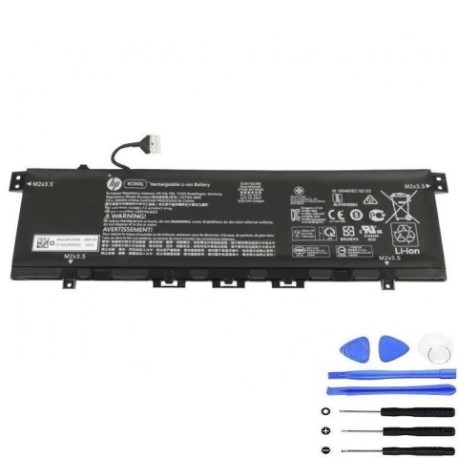
If your HP laptop’s battery isn’t holding charge like it used to, you’ve come to the right place. Our HP KC04XL 53.2Wh replacement battery is designed specifically for HP Envy and Spectre models commonly used across Australia and New Zealand.
Common signs you need a replacement
| Symptom | Possible Cause | How to Verify | Recommendation |
|---|---|---|---|
| Battery drains quickly | Ageing battery cells | Check battery health in Windows | Consider replacement |
| Laptop won’t power on | Dead battery | Try AC adapter only | Replace battery |
| Battery swelling | Internal damage | Visual inspection | Replace immediately |
| Overheating during use | Failing battery | Monitor temperature | Replace for safety |
How to check compatibility
Check your laptop’s model number on the bottom case or in System Information. Compare it with our compatible models list above. All HP KC04XL compatible batteries share the same specifications and fit.
When to replace
Replace your battery when it holds less than 50% of its original capacity, shows physical damage, or causes performance issues. Most HP batteries last 2-3 years with regular use.
Installation guide (overview)
Power off and unplug your laptop. Remove the bottom case screws. Carefully disconnect the old battery connector. Install the new HP KC04XL battery and reassemble. Always use proper tools and follow safety guidelines.
Usage & care tips
Avoid extreme temperatures (store between 15-25°C). Don’t leave your laptop plugged in constantly. Calibrate your battery monthly by fully charging and discharging. Keep contacts clean and dry.
Safety & recycling in AU/NZ
Never attempt to repair damaged batteries. In Australia, use authorised battery recycling centres like Battery World or council e-waste programs. In New Zealand, utilise accredited e-waste recyclers. Proper disposal is required by law.
FAQ
How long does delivery take in Australia?
Typically 3-7 business days depending on your location.
Is this battery genuine HP?
This is a high-quality compatible replacement meeting original specifications.
What’s the warranty period?
Most replacement batteries come with 12 months warranty.
Can I install it myself?
Yes, with basic technical skills and proper tools.
Will it work with my HP Envy x360?
Yes, if your model is listed in our compatibility table.
What’s the battery capacity?
53.2Wh, same as original specifications.
How do I recycle my old battery?
Use local council e-waste services or authorised battery recyclers.