HP JN06 55Wh Battery Replacement Guide
Find the perfect replacement battery for your HP laptop with our comprehensive compatibility guide and expert advice for Australian and New Zealand users.
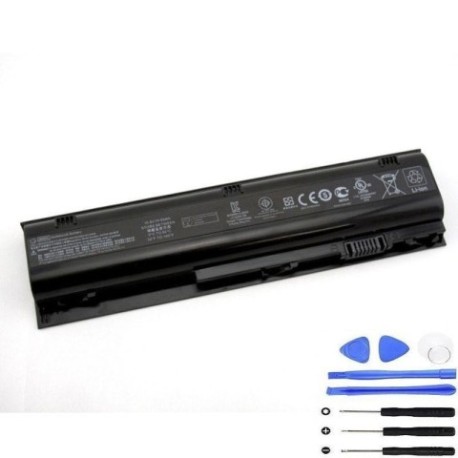
Battery models & part numbers
| Reference / P/N |
|---|
| HP 633731-141 |
| HP 633732-141 |
| HP 633801-001 |
| HP 633803-001 |
| HP 660003-141 |
| HP HSTNN-I96C |
| HP HSTNN-IB1U |
| HP HSTNN-IB2V |
| HP HSTNN-JN04 |
| HP HSTNN-JN06 |
| HP JN04 |
| HP JN04028 |
| HP JN04041 |
| HP JN04041-CL |
| HP JN06062 |
| HP JN06062-CL |
| HP JN06XL |
| HP QK650AA |
| HP QK651AA |
| HP-JN06-55Wh |
Compatible laptop models
| Model |
|---|
| HP ProBook 4230s |
Introduction
The HP JN06 55Wh battery is a high-quality replacement power solution designed specifically for compatible HP laptop models. This battery delivers reliable performance and extended usage time, making it ideal for Australian and New Zealand professionals, students, and home users who depend on their laptops for daily tasks.
Common signs you need a replacement
| Symptoms | Causes | Verification | Recommendation |
|---|---|---|---|
| Rapid battery drain | Ageing cells, reduced capacity | Check battery health in system settings | Consider replacement if below 50% capacity |
| Laptop won’t hold charge | Failed battery cells | Test with power adapter disconnected | Immediate replacement needed |
| Battery swelling | Internal damage, safety hazard | Visual inspection, case separation | Replace immediately, do not use |
| Overheating during use | Inefficient power delivery | Monitor temperature, check vents | Replace to prevent damage |
How to check compatibility
To ensure this battery fits your HP laptop, check the part number on your current battery or consult your laptop’s documentation. Compare it with our compatibility list above. You can also remove your current battery and match the physical dimensions and connector type.
When to replace
Replace your HP battery when you notice significant performance degradation, typically after 2-3 years of regular use. Other indicators include the battery not holding charge, swelling, or your laptop shutting down unexpectedly even with charge indicated.
Installation guide (overview)
1. Power off your laptop and disconnect the AC adapter
2. Turn the laptop over and locate the battery release latch
3. Slide the latch to unlock and carefully remove the old battery
4. Align the new HP JN06 battery with the connector and slot
5. Gently press until it clicks into place
6. Charge fully before first use
Usage & care tips
• Avoid complete discharges – recharge when battery reaches 20-30%
• Store in cool, dry conditions between 15-25°C
• Calibrate your battery monthly by fully charging then discharging
• Use genuine HP chargers for optimal performance
• Remove battery if storing laptop for extended periods
Safety & recycling in AU/NZ
In Australia and New Zealand, lithium-ion batteries must be recycled responsibly. Do not dispose of in household waste. Use authorised battery recycling centres or return to electronics retailers. Damaged or swollen batteries should be handled with care and recycled immediately through proper channels.
FAQ
How long does the HP JN06 55Wh battery last?
Typically 2-4 hours depending on usage, settings, and laptop model. High-performance tasks will reduce battery life.
Is this battery genuine HP?
This is a high-quality replacement battery compatible with HP laptops, meeting original specifications.
Does it come with warranty?
Yes, our batteries include warranty coverage – check product page for specific terms.
How do I maximise battery lifespan?
Avoid extreme temperatures, don’t leave plugged in constantly, and perform regular calibration cycles.
Can I use this battery with other HP models?
Only with compatible models listed above. Check your laptop’s specifications before purchase.
How long for delivery in Australia/New Zealand?
Delivery times vary by location – typically 3-7 business days within AU/NZ.
What if the battery doesn’t fit my laptop?
Check our returns policy for compatibility issues and ensure you’ve verified your model against our list.