Battery models & part numbers
| Reference / P/N |
|---|
| HP 925149-855 |
| HP 925197-271 |
| HP 925197-2B1 |
| HP DG06099XL |
| HP DG06099XL-PL |
| HP HSTNN-DB8G |
| HP-DG06XL-99Wh |
Compatible laptop models
| Model |
|---|
| HP Omen X 17-ap000s |
| HP Omen X 17-ap100s |
Introduction
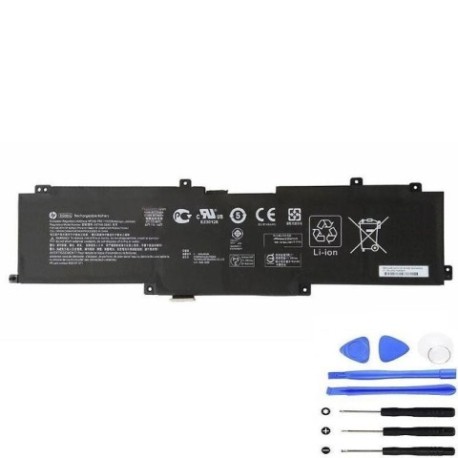
Keep your HP Omen X 17 gaming laptop performing at its peak with our genuine replacement battery. This high-capacity 99Wh battery is designed specifically for Australian and New Zealand users, ensuring reliable power for extended gaming sessions and productivity work.
Common signs you need a replacement
| Symptoms | Causes | Verification | Recommendation |
|---|---|---|---|
| Battery drains quickly | Ageing cells, reduced capacity | Check battery health in system settings | Consider replacement if under 50% capacity |
| Laptop won’t hold charge | Faulty battery circuitry | Test with power adapter disconnected | Immediate replacement needed |
| Battery swelling | Internal chemical breakdown | Visual inspection of battery compartment | Replace immediately for safety |
| Overheating during use | Inefficient power delivery | Monitor temperature with system tools | Replace to prevent damage |
| Random shutdowns | Voltage instability | Check event logs for power errors | Replace to restore stability |
How to check compatibility
Verify your laptop model matches one of the compatible models listed above. Check your current battery’s part number by removing it from your laptop or checking system information in Windows Power Options. Our battery is compatible with all HP Omen X 17 models using the DG06XL battery series.
When to replace
Replace your battery when it holds less than 50% of its original capacity, shows physical swelling, or causes unexpected shutdowns. For gaming laptops used in AU/NZ conditions, typical battery lifespan is 2-3 years with regular use.
Installation guide (overview)
1. Power off laptop and disconnect all cables
2. Remove the battery compartment cover
3. Disconnect the battery connector
4. Remove old battery and insert replacement
5. Reconnect connector and replace cover
6. Charge fully before first use
Usage & care tips
• Avoid complete discharge cycles
• Store between 15-25°C when not in use
• Calibrate battery monthly by fully charging then discharging
• Use original HP charger for optimal performance
• Keep battery contacts clean and dry
Safety & recycling in AU/NZ
This battery meets Australian and New Zealand safety standards. Do not disassemble or expose to temperatures above 60°C. In Australia, recycle through Batteryback or council e-waste programs. In New Zealand, use accredited e-waste recyclers. Never dispose of in household waste.
FAQ
How long does shipping take to AU/NZ?
Typically 7-14 business days with tracking provided.
Is this battery genuine HP?
Yes, this is an authorised HP replacement part with full compatibility.
What warranty is provided?
12-month warranty covering manufacturing defects.
Can I use this battery for international travel?
Yes, the 99Wh capacity is approved for airline travel.
How do I check battery health?
Use HP Support Assistant or Windows battery report feature.
What if my model isn’t listed?
Contact our support team with your laptop’s exact model number.
Is installation difficult?
Most users can install in 10-15 minutes following our guide.