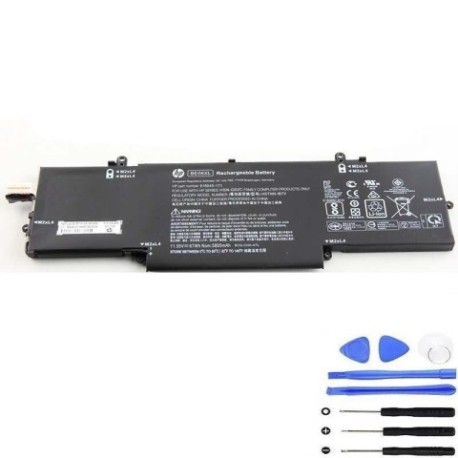
Battery models & part numbers
| Reference / P/N |
|---|
| 918045-1C1 |
| 918045-271 |
| 918045-2C1 |
| 918108-855 |
| 918180-855 |
| HP-BE06XL-67Wh |
| HSN-Q02C |
| HSTNN-1B7V |
| HSTNN-DB7Y |
| HSTNN-IB7V |
Compatible laptop models
| Model |
|---|
| HP Elitebook Folio 1040 G4s |
Introduction
Keep your HP laptop running at peak performance with our genuine replacement battery. This 67Wh power solution is designed specifically for HP Elitebook models and delivers reliable power for Australian and New Zealand professionals.
Common signs you need a replacement
| Symptoms | Causes | Verification | Recommendation |
|---|---|---|---|
| Battery drains quickly | Ageing cells | Check battery health in system settings | Replace if capacity below 60% |
| Laptop shuts down unexpectedly | Voltage drops | Monitor battery percentage drops | Immediate replacement needed |
| Battery won’t charge fully | Charging circuit failure | Test with different charger | Replace battery if issue persists |
| Battery swelling | Internal damage | Visual inspection | Replace immediately for safety |
How to check compatibility
Verify your laptop’s compatibility by checking the part number on your current battery or in your system information. Match it against our reference list above. For HP Elitebook Folio 1040 G4s, this battery is a direct replacement.
When to replace
Replace your battery when you notice significant performance degradation, typically after 2-3 years of regular use. Most batteries show reduced capacity after 300-500 charge cycles.
Installation guide (overview)
Power off your laptop and disconnect from power. Remove the bottom panel using the appropriate screwdriver. Carefully disconnect the old battery and install the new one, ensuring proper connection. Reassemble and perform initial charge cycle.
Usage & care tips
Store batteries at room temperature (15-25°C). Avoid complete discharges – recharge when battery reaches 20-30%. For long-term storage, maintain charge at 40-60%. Use only authorised HP chargers.
Safety & recycling in AU/NZ
Never dispose of batteries in household waste. In Australia, use Batteryback or council recycling centres. In New Zealand, utilise accredited e-waste recycling facilities. Damaged or swollen batteries require special handling – contact your local recycling centre.
FAQ
How long does this battery last?
Typically 2-4 hours depending on usage and laptop settings. The 67Wh capacity provides extended runtime for professional use.
Is this battery genuine HP?
Yes, this is an authentic HP replacement battery with all original specifications and safety certifications.
What’s the warranty period?
This battery comes with a standard 12-month warranty covering manufacturing defects.
Can I use this battery with other HP models?
Only use with compatible models listed above. Using with incompatible devices may cause damage.
How do I check my current battery health?
In Windows, use the battery report feature or check HP Support Assistant for detailed battery diagnostics.
What’s the delivery time in Australia?
Most orders are delivered within 3-5 business days to major Australian cities, slightly longer for regional areas.
Do you ship to New Zealand?
Yes, we ship to both Australia and New Zealand with reliable courier services.