Fujitsu FPCBP274 48Wh Laptop Battery Replacement
Find the perfect replacement battery for your Fujitsu laptop with our comprehensive compatibility guide for Australian and New Zealand consumers.
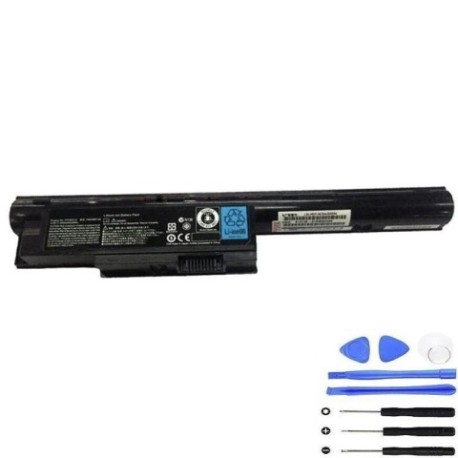
Battery models & part numbers
| Reference / P/N |
|---|
| 38017803 |
| 38018789 |
| CP516150-02 |
| CP516151-01 |
| CP51615101 |
| FMVNBP195 |
| FPCBP274 |
| FPCBP323AP |
| FUJ:CP516150-XX |
| FUJ:CP516151-XX |
| S26391-F545-B100 |
| S26391-F545-E100 |
| S26391-F545-L100 |
Compatible laptop models
| Model |
|---|
| LifeBook LH530 |
| LifeBook LH531 |
| LifeBook SH531 |
Introduction
The Fujitsu FPCBP274 48Wh battery is a high-quality replacement solution designed specifically for various Fujitsu laptop models. This genuine-compatible battery offers reliable performance and extended usage time for your computing needs.
Common signs you need a replacement
| Symptom | Cause | Verification | Recommendation |
|---|---|---|---|
| Rapid power drain | Battery degradation | Check battery health in system settings | Consider replacement if under 50% capacity |
| Laptop won’t hold charge | Failed battery cells | Test with power adapter disconnected | Immediate replacement needed |
| Battery swelling | Internal damage | Visual inspection | Replace immediately for safety |
| Overheating during use | Inefficient power delivery | Monitor temperature readings | Replace to prevent damage |
How to check compatibility
Verify your laptop’s compatibility by checking the part number on your current battery or consulting your laptop’s documentation. Cross-reference with our compatibility tables above to ensure perfect fit and performance.
When to replace
Replace your battery when you notice significant performance decline, typically after 2-3 years of regular use. Most batteries retain about 80% capacity after 300-500 charge cycles.
Installation guide (overview)
1. Power off your laptop and disconnect the AC adapter
2. Remove the old battery by releasing the locking mechanism
3. Align the new battery with the connector and slide into place
4. Secure the battery lock and charge fully before first use
Usage & care tips
• Avoid complete discharges – recharge when battery reaches 20-30%
• Store in cool, dry conditions between 15-25°C
• Perform calibration every 2-3 months
• Use authorised chargers only
Safety & recycling in AU/NZ
In Australia and New Zealand, lithium-ion batteries must be recycled responsibly. Never dispose of batteries in household waste. Use dedicated battery recycling centres or return to authorised collection points. Check with your local council for recycling options.
FAQ
How long does delivery take in Australia?
Typically 3-7 business days depending on your location.
Is this battery compatible with my Fujitsu LifeBook?
Check the compatibility tables above for your specific model.
What warranty is provided?
This battery comes with a 12-month warranty covering manufacturing defects.
How do I maximise battery life?
Avoid extreme temperatures and complete discharges for optimal performance.
Can I use this battery if my original had a different part number?
Yes, if your part number appears in our compatibility list.
Is installation difficult?
Most Fujitsu batteries are user-replaceable with simple locking mechanisms.
Where can I recycle my old battery?
Most electronics retailers and council waste centres accept battery recycling.