Fujitsu FPCBP176A 75Wh Laptop Battery Replacement
Keep your Fujitsu laptop running at peak performance with our genuine replacement battery. This 75Wh power solution is designed specifically for Australian and New Zealand conditions.
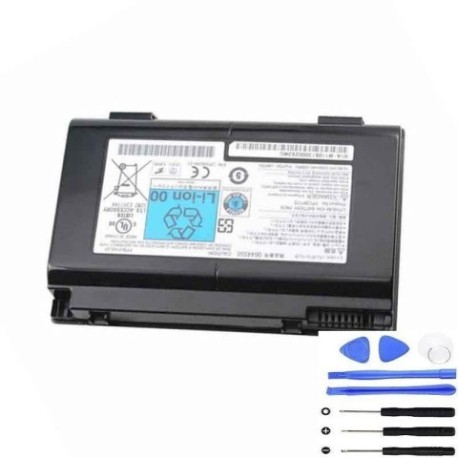
Battery models & part numbers
| Reference / P/N |
|---|
| 34005998 |
| 34027617 |
| CP335276-01 |
| CP335284-01 |
| CP335288-01 |
| CP335317-01 |
| CP335317-02 |
| FPB0145-01 |
| FPB0146-01 |
| FPCBP176 |
| FPCBP176A |
| FPCBP176AP |
| Fujitsu-FPCBP176A-75Wh |
| FUJ:CP335288-01 |
| FUJ:CP335317-01 |
| FUJ:CP335317-02 |
| FUJ:CP335661-XX |
| FUJ:CP335663-XX |
| FUJ:CP477933-XX |
Compatible laptop models
| Model |
|---|
| Fujitsu Celsius H250 |
| Fujitsu Celsius H700 |
| Fujitsu Celsius H710 |
| Fujitsu Celsius H910 |
| Fujitsu Celsius H920 |
| Fujitsu LifeBook E780 |
| Fujitsu LifeBook E8410 |
| Fujitsu LifeBook E8420 |
| Fujitsu LifeBook NH570 |
Introduction
The Fujitsu FPCBP176A 75Wh battery is a high-quality replacement power source for various Fujitsu business laptops. With 75 watt-hours of capacity, it provides reliable performance for professionals across Australia and New Zealand.
Common signs you need a replacement
| Symptom | Cause | Verification | Recommendation |
|---|---|---|---|
| Battery drains quickly (under 1 hour) | Ageing cells, reduced capacity | Check battery health in system settings | Replace if capacity below 60% |
| Laptop won’t hold charge | Failed battery circuitry | Test with power adapter removed | Immediate replacement needed |
| Battery swelling or overheating | Internal damage, safety risk | Visual inspection, temperature check | Replace immediately, recycle old battery |
| Charging indicator issues | Battery communication failure | Monitor charging behaviour | Replace if consistent problems |
How to check compatibility
Verify your laptop model matches our compatibility list above. Check your current battery’s part number (usually printed on the battery) against our reference numbers. For certainty, consult your laptop’s user manual or contact Fujitsu support.
When to replace
Replace your battery when runtime drops below 60% of original capacity, typically after 2-3 years of regular use. Other indicators include swelling, overheating above 45°C, or failure to hold charge.
Installation guide (overview)
1. Power off laptop and disconnect charger
2. Remove old battery (usually slide-lock mechanism)
3. Insert new battery until it clicks into place
4. Connect charger and charge fully before first use
5. Calibrate by fully charging then discharging once
Usage & care tips
• Avoid extreme temperatures (ideal range 10-35°C)
• Store at 40-60% charge if not used for extended periods
• Use original Fujitsu charger for optimal performance
• Calibrate battery every 2-3 months for accurate readings
Safety & recycling in AU/NZ
In Australia and New Zealand, lithium-ion batteries must be recycled through authorised collection points. Never dispose of in household waste. Many electronics retailers offer free battery recycling services. Swollen batteries should be handled with care and recycled immediately.
FAQ
How long does delivery take in Australia?
Most orders are delivered within 3-5 business days to metro areas, with slightly longer times for regional centres.
Is this battery genuine Fujitsu?
Yes, this is an authentic Fujitsu replacement battery with full manufacturer warranty.
What warranty do you offer?
All our batteries come with 12 months warranty covering manufacturing defects.
Can I use this battery with older Fujitsu models?
Only if your specific model appears in our compatibility list above.
How do I maximise battery lifespan?
Avoid complete discharges, keep between 20-80% charge for daily use, and store in cool conditions.
What if the battery doesn’t fit my laptop?
We offer 30-day returns for incompatible products, provided the battery is unused and in original packaging.
Do you ship to New Zealand?
Yes, we ship to both Australia and New Zealand with competitive shipping rates.