Battery models & part numbers
| Reference / P/N |
|---|
| 01D82 |
| 09NJM1 |
| 9NJM1 |
| Dell-9NJM1-99Wh |
| MG2YH |
Compatible laptop models
| Model |
|---|
| Dell Alienware 15 R3 P69F001 |
| Dell Alienware 15 R4 P69F002 |
| Dell Alienware 17 R4 P31E001 |
| Dell Alienware 17 R5 P31E002 |
Introduction
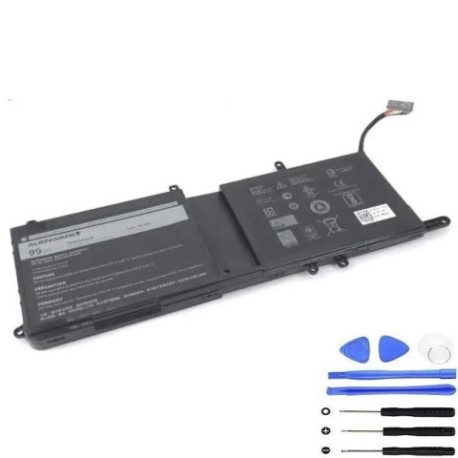
Keep your Dell Alienware gaming laptop performing at its peak with our genuine 9NJM1 99Wh replacement battery. This high-capacity battery is specifically designed for Alienware 15 and 17 series models, ensuring optimal gaming performance and extended battery life.
Common signs you need a replacement
| Symptoms | Causes | Verification | Recommendation |
|---|---|---|---|
| Battery drains quickly | Ageing cells, reduced capacity | Check battery health in system settings | Consider replacement if under 2 hours |
| Laptop shuts down unexpectedly | Battery cannot hold charge | Monitor battery percentage drops | Replace immediately for data safety |
| Battery won’t charge fully | Charging circuit failure | Check charging indicator and percentage | Test with different charger first |
| Laptop bulging or swelling | Battery expansion | Visual inspection of battery compartment | Replace urgently – safety hazard |
| Overheating during use | Inefficient battery operation | Monitor temperature during charging | Replace to prevent damage |
How to check compatibility
Verify your laptop’s compatibility by checking the model number on the bottom casing or in system information. Match against our compatible models list above. For part number verification, remove the current battery and check the printed label for reference numbers.
When to replace
Replace your battery when it holds less than 50% of its original capacity, shows physical damage, or causes system instability. Most gaming laptop batteries last 2-3 years with regular use.
Installation guide (overview)
1. Power off laptop and disconnect charger
2. Remove bottom panel screws
3. Carefully disconnect battery connector
4. Remove old battery and insert replacement
5. Reconnect connector and reassemble
6. Charge fully before first use
Usage & care tips
• Avoid complete discharge cycles
• Store at room temperature (15-25°C)
• Calibrate battery monthly by full discharge/charge
• Use authorised Dell chargers only
• Keep battery contacts clean
Safety & recycling in AU/NZ
Always purchase from authorised retailers. Do not attempt to open or modify batteries. In Australia and New Zealand, dispose of old batteries at designated recycling centres. Many electronics retailers offer free battery recycling services.
FAQ
How long does shipping take to AU/NZ?
Typically 7-14 business days with express options available.
Is this battery genuine Dell?
Yes, we supply original Dell 9NJM1 batteries with full warranty.
What warranty do you offer?
12-month warranty covering manufacturing defects.
Can I use this battery for other Alienware models?
Only for the compatible models listed above.
How do I check my current battery health?
Use Windows Battery Report or check in Dell Power Manager.
Do you provide installation services?
We recommend professional installation for warranty purposes.
What payment methods do you accept?
Credit cards, PayPal, and Afterpay available for AU/NZ customers.