Battery models & part numbers
| Reference / P/N |
|---|
| Asus-C41N1825-72Wh |
Compatible models
| Model |
|---|
| Asus 0B200-03250000 |
| Asus ADOL13F |
| Asus ADOL13U |
| Asus ADOL14F |
| Asus C41Pp95 |
| Asus VivoBook 14 F403FA |
| Asus VivoBook 14 F403FA-EB114T |
| Asus VivoBook 14 X403FA |
| Asus VivoBook 14 X403FA-EB021T |
| Asus VivoBook 14 X403FA-EB114T |
| Asus VivoBook 14 X403FA-EB198 |
| Asus VivoBook 14 X403FA-EB230R |
| Asus VivoBook 14 X403JA |
| Asus VivoBook 14 X403JA-BM015T |
| Asus VivoBook P3401FA |
| Asus VivoBook P3401FA-EB198R |
Introduction
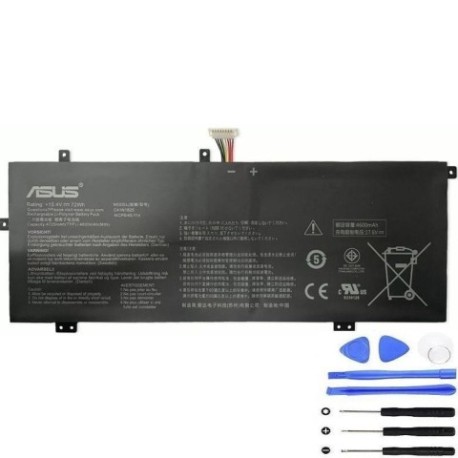
Keep your ASUS VivoBook 14 or ADOL series laptop running at peak performance with our genuine replacement battery. The C41N1825 72Wh battery delivers reliable power and extended usage time for your daily computing needs.
Common signs you need a replacement
| Symptom | Cause | Verification | Recommendation |
|---|---|---|---|
| Battery drains quickly | Reduced capacity from age/cycles | Check battery health in Windows | Consider replacement if under 50% capacity |
| Laptop shuts down unexpectedly | Battery can’t maintain voltage | Monitor battery percentage drops | Replace immediately to prevent data loss |
| Battery won’t charge fully | Cell degradation or charging circuit | Check charging status in system tray | Replace battery if persistent |
| Laptop bulging or swollen | Battery failure – safety hazard | Visual inspection of battery compartment | Replace immediately – do not use |
How to check compatibility
To verify your laptop model, check the label on the bottom casing or under the battery compartment. For ASUS VivoBook 14 and ADOL series, you can also press Windows Key + R, type “msinfo32” and check System Model. Use ASUS’s official support website with your serial number for precise compatibility confirmation.
When to replace
Replace your battery when it holds less than 50% of its original capacity, shows physical damage, or causes system instability. Most laptop batteries last 2-3 years with regular use before needing replacement.
Installation guide
Power off your laptop and disconnect all cables. Remove the bottom panel screws and carefully lift the cover. Disconnect the battery connector from the motherboard, remove the mounting screws, and lift out the old battery. Install the new C41N1825 battery, reconnect the connector, and reassemble. Charge fully before first use.
Usage & care tips
Avoid extreme temperatures (ideal range 15-25°C), don’t leave your laptop plugged in constantly, and perform regular calibration by fully discharging then charging every 2-3 months. Store in cool, dry conditions when not in use.
Safety & recycling in AU/NZ
Never puncture or disassemble lithium-ion batteries. In Australia and New Zealand, recycle old batteries at authorised collection points like Officeworks, Battery World, or council recycling centres. Do not dispose of in household waste.
FAQ
How long does this battery last on a single charge?
Up to 6-8 hours depending on usage and laptop settings.
Is this battery genuine ASUS?
Yes, this is an original ASUS C41N1825 72Wh replacement battery.
Will this work with my specific VivoBook model?
Check the compatibility table above – it works with all listed VivoBook 14 and ADOL series models.
How do I know if my battery needs replacing?
Refer to the common signs table for symptoms like quick drainage or unexpected shutdowns.
Is installation difficult?
Most users can install it following our guide, but seek professional help if unsure.
What’s the warranty period?
Typically 12 months from date of purchase.
Can I use this battery internationally?
Yes, laptop batteries are universal voltage (100-240V).