Battery models & part numbers
| Reference / P/N |
|---|
| Asus-C41N1524-60Wh |
Compatible models
| Model |
|---|
| Asus 0B200-01250200 |
| Asus C41PmC5 |
| Asus N501VW |
| Asus ROG G501VW |
| Asus ZenBook UX501VW |
| Asus Zenbook UX501V UX501VW G501VW N501L |
Introduction
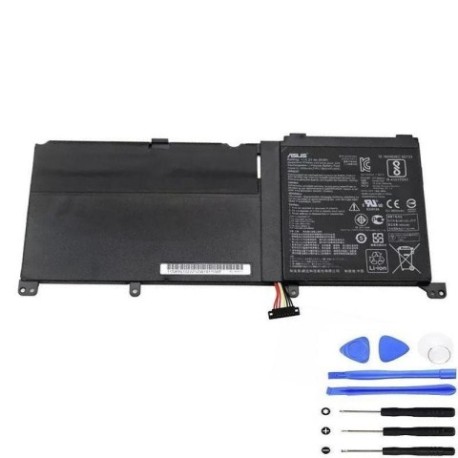
Keep your Asus laptop performing at its best with our genuine C41N1524 60Wh replacement battery. Compatible with multiple ZenBook and ROG models, this battery ensures reliable power for work and gaming.
Common signs you need a replacement
| Symptoms | Causes | Verification | Recommendation |
|---|---|---|---|
| Battery drains quickly | Ageing cells, reduced capacity | Check battery health in system settings | Consider replacement if below 60% capacity |
| Laptop shuts down unexpectedly | Voltage drops under load | Monitor battery percentage during use | Replace if occurring regularly |
| Battery won’t hold charge | Failed cells, internal damage | Test with different power adapter | Immediate replacement recommended |
| Battery swelling or overheating | Chemical degradation, safety risk | Visual inspection, temperature check | Stop using immediately and replace |
How to check compatibility
To verify your laptop’s compatibility, locate the model number on the bottom casing or under the battery compartment. For Asus devices, you can also check through the MyASUS app or contact authorised service centres in Australia and New Zealand. Always cross-reference with our compatibility table above.
When to replace
Replace your battery when it holds less than 60% of its original capacity, shows physical damage, or causes performance issues. Most laptop batteries last 2-4 years with regular use.
Installation guide
Power off your laptop and disconnect all cables. Remove the bottom panel using the appropriate screwdriver. Carefully disconnect the battery connector and remove any mounting screws. Install the new C41N1524 battery, ensuring proper connector alignment. Reassemble and charge fully before first use.
Usage & care tips
Avoid extreme temperatures (ideal range 15-25°C). Don’t leave your laptop plugged in constantly – occasional discharge cycles help maintain battery health. Store in cool, dry conditions when not in use for extended periods.
Safety & recycling in AU/NZ
Never attempt to open or modify the battery. Dispose of old batteries at authorised recycling centres – most electronics retailers in Australia and New Zealand offer free battery recycling services. Do not dispose of in household waste.
FAQ
How long does delivery take in Australia?
Typically 3-7 business days depending on your location.
Is this battery genuine Asus?
Yes, this is an original Asus C41N1524 60Wh battery with full compatibility.
What warranty do you offer?
All our batteries come with a 12-month warranty.
Can I install this battery myself?
Yes, with basic technical skills and the right tools, installation is straightforward.
Will this battery work with my specific ZenBook model?
Check the compatibility table above – if your model is listed, it’s fully compatible.
How do I maximise battery life?
Avoid complete discharges, keep between 20-80% charge when possible, and store in cool conditions.
What if my laptop isn’t in the compatibility list?
Contact our support team with your exact model number for verification.