Battery models & part numbers
| Reference / P/N |
|---|
| Asus-C41-UX50-36Wh |
Compatible laptop models
| Model |
|---|
| Asus Zenbook UX50 |
| Asus Zenbook UX50V |
| Asus Zenbook UX50V-1A |
| Asus Zenbook UX50V-1B |
Introduction
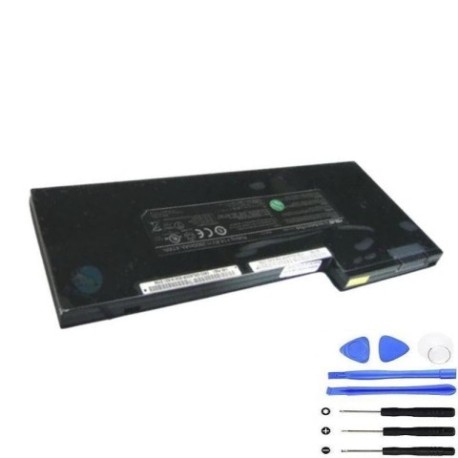
Keep your Asus Zenbook running at peak performance with our genuine replacement battery. This high-quality 36Wh battery is specifically designed for your UX50 series laptop.
Common signs you need a replacement
| Symptoms | Possible Causes | How to Verify | Recommendation |
|---|---|---|---|
| Battery drains quickly | Reduced capacity from age/cycles | Check battery health in system settings | Consider replacement if under 50% capacity |
| Laptop shuts down unexpectedly | Battery can’t maintain voltage | Monitor battery percentage drops | Replace immediately to prevent data loss |
| Battery won’t charge fully | Charging circuit or battery wear | Check if stuck at certain percentage | Replace if unable to reach 80% charge |
| Laptop bulging or swelling | Battery degradation | Visual inspection of battery compartment | Replace urgently – safety hazard |
How to check compatibility
Verify your laptop model matches one in our compatibility table above. Check your current battery’s part number (usually printed on the battery) matches Asus-C41-UX50-36Wh. For extra assurance, consult your laptop’s original documentation or contact Asus support.
When to replace
Replace your battery when you notice significant performance decline, typically after 2-3 years of regular use or 300-500 charge cycles. Modern laptops will alert you when battery health drops below optimal levels.
Installation guide (overview)
1. Power down laptop and disconnect charger
2. Remove bottom panel screws
3. Carefully disconnect old battery connector
4. Remove mounting screws
5. Install new battery and reconnect
6. Replace panel and power on
Note: Always consult your device’s service manual or seek professional installation if unsure.
Usage & care tips
• Avoid extreme temperatures (ideal range 10°C to 35°C)
• Don’t leave laptop plugged in constantly
• Perform occasional full discharge cycles
• Store with 40-60% charge if not using for extended periods
• Use only authorised Asus chargers
Safety & recycling in AU/NZ
Never attempt to open or puncture batteries. Dispose of old batteries at authorised recycling centres – most electronics retailers offer free battery recycling services. In Australia, check with Batteryback.org.au. In New Zealand, use Smartenvironment.co.nz for proper disposal locations.
FAQ
How long does delivery take in Australia/NZ?
Typically 3-7 business days for metro areas, slightly longer for regional centres.
Is this battery genuine Asus?
Yes, this is an original Asus part number C41-UX50-36Wh battery.
What warranty do you offer?
All our batteries come with 12 months warranty covering manufacturing defects.
Can I install this myself?
Yes, with basic technical skills and proper tools. We recommend consulting online tutorials specific to your Zenbook model.
How do I check my current battery health?
On Windows, use the battery report feature. On macOS, check System Information under Power.
Will this improve my laptop’s performance?
It will restore original battery life and prevent unexpected shutdowns during use.
Do you ship to both Australia and New Zealand?
Yes, we ship to all major cities and regional areas in both countries.