Battery models & part numbers
| Reference / P/N |
|---|
| 0B200-00170100P |
| Asus-C32-TAICHI21-35Wh |
Compatible models
| Model |
|---|
| Asus C32-TAICHI21 |
| Asus Taichi 11.6 Touch Ultrabook |
| Asus Taichi 21-CW001H |
| Asus Taichi 21-CW001P |
| Asus Taichi 21-CW002H |
| Asus Taichi 21-CW003H |
| Asus Taichi 21-CW004H |
| Asus Taichi 21-CW005P |
| Asus Taichi 21-CW009H |
| Asus Taichi 21-DH51 |
| Asus Taichi 21-DH71 |
Introduction
If your Asus Taichi ultrabook is struggling to hold charge or showing battery warning signs, you’ve come to the right place. This comprehensive guide covers everything Australian and New Zealand users need to know about replacing their Asus C32 TAICHI21 35Wh battery.
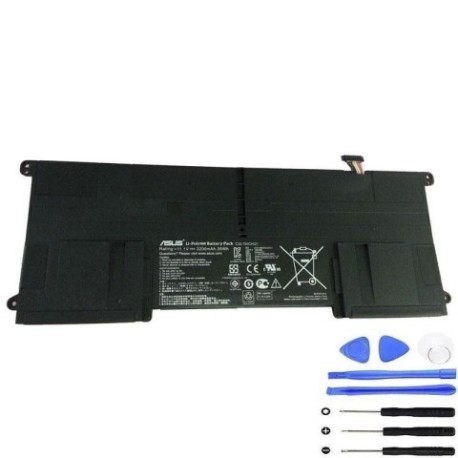
Common signs you need a replacement
| Symptoms | Causes | Verification | Recommendation |
|---|---|---|---|
| Battery drains quickly (under 1 hour) | Ageing cells, high cycle count | Check battery health in Windows Power Settings | Replace if capacity below 60% |
| Laptop shuts down unexpectedly | Voltage drops under load | Monitor battery percentage during use | Immediate replacement needed |
| Battery won’t charge past 80% | Battery protection mode activated | Check charging status indicator | Replace to restore full capacity |
| Laptop bulging or case separation | Swollen battery cells | Visual inspection, uneven surface | Stop using immediately and replace |
| Overheating during charging | Internal resistance increase | Feel bottom case temperature | Replace to prevent damage |
How to check compatibility
For Asus Taichi models, locate the model number on the bottom label or in System Information (type “msinfo32” in Windows search). Match your exact model against our compatibility list. Asus official support tools like MyASUS app can also display battery information and compatible replacements.
When to replace
Replace your battery when it holds less than 60% of original capacity, shows physical damage, or causes system instability. Most Asus Taichi batteries last 2-3 years with regular use.
Installation guide
For Asus Taichi ultrabooks: power off completely, remove all cables. The battery is internally mounted – remove the bottom cover (8-10 screws), disconnect the battery connector, and reverse the process with your new battery. Use plastic tools to avoid short circuits.
Usage & care tips
Avoid extreme temperatures (ideal range 15-25°C), don’t leave laptop plugged in constantly, perform occasional full discharge cycles. Store in cool, dry conditions when not in use.
Safety & recycling in AU/NZ
In Australia and New Zealand, dispose of old batteries at authorised collection points like Officeworks, Battery World, or council recycling centres. Never dispose in household waste due to fire risk and environmental contamination.
FAQ
How long does shipping take to AU/NZ?
Typically 7-14 business days with express options available.
Is this battery genuine Asus quality?
Yes, meets original specifications with full compatibility guarantee.
What warranty is provided?
12-month warranty covering defects and performance issues.
Can I install it myself?
Yes, with basic technical skills and our installation guide.
Will it affect my laptop’s performance?
No, it restores original battery life and stability.
How do I recycle my old battery in Australia?
Use Batteryback program locations or council e-waste services.
What if my model isn’t listed?
Contact our support team with your exact model number for verification.