Asus A32-N55-56Wh Battery Replacement Guide for Australian & New Zealand Users
If your Asus laptop is showing signs of battery fatigue, you’ve come to the right place. This comprehensive guide covers everything Australian and New Zealand consumers need to know about replacing their Asus battery with the A32-N55-56Wh model.
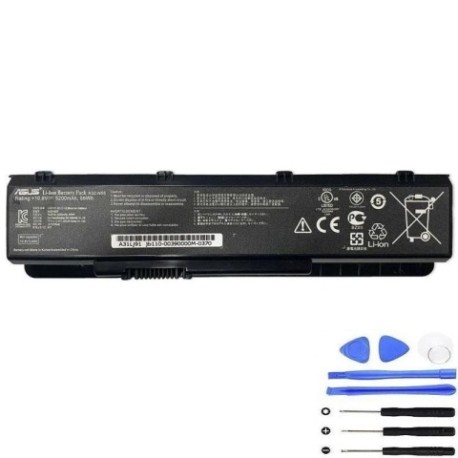
Battery models & part numbers
| Reference / P/N |
|---|
| 07G016J01875 |
| 70-N5F1B1000Z |
| Asus-A32-N55-56Wh |
Compatible models
| Model |
|---|
| Asus N45 |
| Asus N45E |
| Asus N45S |
| Asus N45SL |
| Asus N45SF |
| Asus N55 |
| Asus N55E |
| Asus N55S |
| Asus N55SL |
| Asus N55SF |
| Asus N75 |
| Asus N75E |
| Asus N75S |
| Asus N75SL |
| Asus N75SF |
Introduction
Asus N-series laptops have been reliable workhorses for many Australian and New Zealand users, but like all lithium-ion batteries, they eventually need replacement. The A32-N55-56Wh battery is the authorised replacement for multiple Asus models, ensuring you get the same performance and safety standards as the original equipment.
Common signs you need a replacement
| Symptom | Cause | Verification | Recommendation |
|---|---|---|---|
| Battery drains quickly (less than 1 hour) | Reduced capacity from age/cycles | Check battery health in Windows | Replace if capacity below 60% |
| Laptop won’t hold charge | Failed battery cells | Test with power adapter removed | Immediate replacement needed |
| Battery swelling/bulging | Gas buildup from degradation | Visual inspection | Replace immediately – safety risk |
| Overheating during use | Internal resistance increase | Monitor temperature | Replace to prevent damage |
| Charging indicator issues | Battery communication failure | Check charging behaviour | Replace battery |
How to check compatibility
Finding your exact Asus model is crucial for battery compatibility. For N-series laptops, check the bottom label near the battery compartment or serial number sticker. The model should start with “N45”, “N55”, or “N75” followed by possible suffixes like E, S, SL, or SF. You can also check in Windows System Information or use Asus’s official support website by entering your serial number. The A32-N55-56Wh battery is specifically designed for the N45, N55, and N75 series with their various configurations.
When to replace
Most Asus laptop batteries last 2-4 years with regular use. Replace when battery health drops below 60% capacity, you experience sudden shutdowns, or notice physical swelling. In Australia’s warmer climates, battery degradation can accelerate, so monitor performance regularly.
Installation guide
Replacing your Asus battery is straightforward. First, power off the laptop and disconnect the AC adapter. Flip the laptop over and locate the battery release latches – most N-series models have two sliding locks. Slide both to unlock position and the battery should lift out easily. Insert the new A32-N55-56Wh battery, ensuring connectors align properly, then slide locks back to secure. Power on and allow the system to recognise the new battery. No driver installation is typically required.
Usage & care tips
To maximise your new battery’s lifespan in AU/NZ conditions: Avoid frequent full discharges – lithium-ion prefers partial cycles. Store between 20-80% charge when possible. Keep temperatures between 15-25°C – avoid leaving in hot cars. Calibrate monthly by charging to 100%, then discharging to 5% before recharging. Use the original Asus charger to ensure proper voltage regulation.
Safety & recycling in AU/NZ
In Australia and New Zealand, lithium-ion batteries must be recycled properly. Never dispose of in household waste. Use battery recycling services at Officeworks, Bunnings, or council recycling centres. Damaged or swollen batteries should be handled with care – place in non-flammable container and take to hazardous waste facility. The A32-N55-56Wh meets Australian safety standards with built-in protection circuits.
FAQ
How long does the A32-N55-56Wh battery last on a full charge?
Under normal usage conditions, expect 3-5 hours depending on your specific N-series model and usage patterns. N45 models typically get 4-5 hours, while N75 models with larger displays may get 3-4 hours.
Will this battery work with my Asus if it has different suffixes like SL or SF?
Yes, the A32-N55-56Wh is compatible with all suffix variations including SL (slim) and SF models. The physical dimensions and electrical specifications remain consistent across the N45/N55/N75 series.
How do I check my current battery’s health in Windows?
Open Command Prompt as administrator and type “powercfg /batteryreport”. This generates a detailed HTML report showing design capacity versus current capacity and cycle count.
Is there a warranty on this replacement battery?
Most reputable suppliers offer 12-24 month warranties on replacement batteries in Australia and New Zealand. Check with your retailer for specific warranty terms.
Can I use my laptop while the new battery is charging?
Yes, modern lithium-ion batteries can handle charge cycles while in use. However, for optimal battery health, avoid intensive tasks during initial charging cycles.
How many charge cycles can I expect from this battery?
The A32-N55-56Wh is rated for approximately 500-800 charge cycles before capacity drops to 80% of original. Proper care can extend this lifespan.
What should I do if my laptop doesn’t recognise the new battery?
Try a power reset: disconnect AC adapter, remove battery, hold power button for 30 seconds, then reinsert battery and reconnect power. If issues persist, check for BIOS updates from Asus support.