ASUS C32N1340 96Wh Laptop Battery Replacement Guide
If your ASUS laptop is struggling to hold a charge or showing battery warning signs, our comprehensive guide helps Australian and New Zealand customers find the right replacement battery and install it safely.
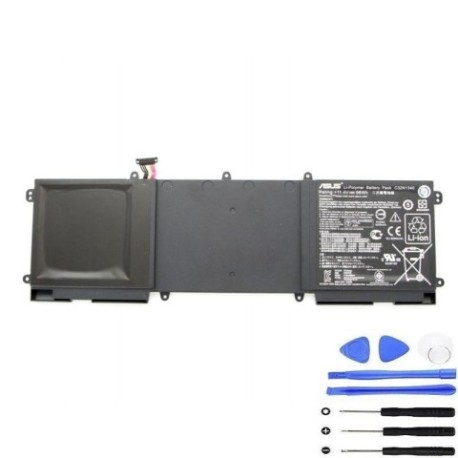
Battery models & part numbers
| Reference / P/N |
|---|
| 0B200-00940100 |
| Asus-C32N1340-96Wh |
| C32PnC5 |
Compatible models
| Model |
|---|
| Asus ZenBook NX500 NX500JK |
Introduction
Laptop batteries naturally degrade over time, typically lasting 2-4 years with regular use. The ASUS C32N1340 96Wh battery is a high-capacity replacement designed specifically for ASUS ZenBook models, offering reliable performance for Australian and New Zealand users who depend on their laptops for work, study, or entertainment.
Common signs you need a replacement
| Symptoms | Causes | Verification | Recommendation |
|---|---|---|---|
| Battery drains quickly | Reduced capacity from age/cycles | Check battery health in system settings | Consider replacement if below 60% capacity |
| Laptop shuts down unexpectedly | Battery can’t maintain voltage under load | Monitor battery percentage drops | Replace battery to prevent data loss |
| Battery won’t charge fully | Charging circuit or battery failure | Try different power adapter first | Replace if issue persists with known-good charger |
| Battery swelling or bulging | Internal chemical breakdown | Visual inspection of battery compartment | Replace immediately – safety hazard |
| Overheating during use | Increased internal resistance | Check temperature with monitoring software | Replace to prevent damage to other components |
How to check compatibility
Finding your exact laptop model is crucial for battery compatibility. For ASUS laptops, check the bottom case for a model number sticker, typically near the battery compartment or on the bottom panel. The model number should match exactly with our compatibility list. You can also find this information in Windows System Information (type “msinfo32” in Run dialog) or in ASUS Device Settings. For ZenBook NX500 series, ensure your specific model matches the NX500JK designation. Always cross-reference with your original battery’s part number if possible.
When to replace
Replace your ASUS battery when it holds less than 60% of its original capacity, shows physical damage or swelling, causes unexpected shutdowns, or no longer charges properly. Most laptop batteries need replacement after 300-500 charge cycles or 2-4 years of regular use. Don’t wait until complete failure – proactive replacement prevents data loss and inconvenience.
Installation guide
Replacing the battery in your ASUS ZenBook requires careful handling. First, power down the laptop completely and disconnect the AC adapter. Place the laptop on a clean, static-free surface. For most ASUS models, you’ll need a Phillips #00 screwdriver. Remove the bottom panel screws and carefully lift the panel. Locate the battery connector – it’s usually a multi-pin connector near the centre of the battery. Gently disconnect the battery cable by pulling the connector straight out, not by pulling the wires. Remove any screws securing the battery, then lift it out. Install the new ASUS C32N1340 battery in reverse order, ensuring all connections are secure before reassembling.
Usage & care tips
Maximise your new ASUS battery’s lifespan with proper care. Avoid frequent full discharges – lithium-ion batteries prefer partial discharges between 20-80%. Don’t leave your laptop plugged in constantly at 100% charge. Store in cool conditions (15-25°C ideal) and avoid extreme temperatures. Calibrate your battery monthly by charging to 100%, then discharging to about 5% before recharging. Use power-saving modes when on battery, and reduce screen brightness to extend runtime.
Safety & recycling in AU/NZ
Battery safety is paramount in Australia and New Zealand. Never puncture, crush, or expose lithium-ion batteries to high heat. If your battery swells, stop using it immediately and dispose of it properly. In Australia, take old batteries to authorised collection points at electronics retailers or council recycling centres. In New Zealand, use the Recycle-more programme or drop at designated recycling facilities. Both countries have strict regulations about battery disposal – never put laptop batteries in household rubbish.
FAQ
How long does the ASUS C32N1340 96Wh battery last on a full charge?
Depending on usage and laptop settings, expect 4-8 hours of typical use. High-performance tasks will reduce this time significantly.
Is this battery compatible with all ASUS ZenBook models?
No, it’s specifically designed for compatible models listed above. Always verify your exact model number before purchase.
Will replacing the battery void my ASUS warranty?
If your laptop is still under manufacturer warranty, check ASUS policies. Third-party battery replacement may affect warranty coverage for battery-related issues.
How do I properly dispose of my old ASUS battery in Australia?
Take it to any Battery World, Officeworks, or council e-waste collection point. These are free drop-off locations across Australia.
What’s the difference between the various part numbers listed?
Different part numbers often represent the same battery sold through different channels or regions. All listed part numbers are compatible with your device.
Can I use a higher capacity battery than original?
No, only use batteries with the specified capacity and voltage. Higher capacity batteries may not fit physically or could cause compatibility issues.
How long does shipping take to regional Australia or New Zealand?
Typically 3-7 business days for metro areas, 5-10 days for regional locations depending on your specific location and carrier.