Battery models & part numbers
| Reference / P/N |
|---|
| Asus 0B200-01940100 |
| Asus C41N1531-62Wh |
| Asus C41PnC5 |
Compatible models
| Model |
|---|
| Asus GL502VS |
| Asus ROG G752VS |
| Asus ROG Strix GL502VS |
| Asus ROG Strix GL502VT |
| Asus ROG Strix GL502VY |
Introduction
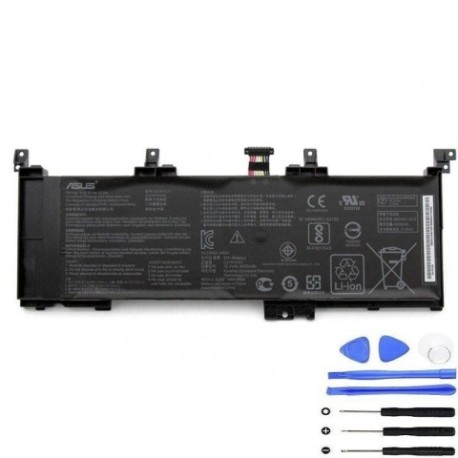
Keep your ASUS ROG gaming laptop performing at its best with a genuine replacement battery. The C41N1531 62Wh battery is specifically designed for high-performance ASUS ROG models commonly used by Australian and New Zealand gamers and professionals.
Common signs you need a replacement
| Symptoms | Causes | Verification | Recommendation |
|---|---|---|---|
| Battery drains quickly (under 1 hour) | Ageing cells, frequent gaming sessions | Check battery health in Windows settings | Replace if capacity below 60% |
| Laptop shuts down unexpectedly | Voltage drops under load | Monitor during gaming or heavy use | Immediate replacement needed |
| Battery won’t charge past 80% | Protection circuit limiting charge | Check charging status indicator | Replace to restore full capacity |
| Laptop bulging or battery swelling | Gas buildup from degraded cells | Visual inspection, uneven surface | Stop using immediately and replace |
How to check compatibility
For ASUS ROG laptops, locate the model number on the bottom label near the serial number. Common locations include under the battery compartment or on the rear panel. You can also check in Windows System Information or use ASUS official support tools available on their website. Cross-reference with our compatibility table above to ensure perfect fit.
When to replace
Replace your ASUS battery when runtime drops below 60 minutes during normal use, when charging cycles exceed 500, or every 2-3 years for optimal performance. Gaming laptops like the ROG series experience heavier battery wear due to high power demands.
Installation guide
Power off your laptop and disconnect all cables. Remove the bottom panel using a Phillips screwdriver. Locate the battery connector near the centre of the motherboard – gently disconnect by pulling the connector straight out. Remove the mounting screws and lift the battery out. Install the new C41N1531 battery, reconnect the connector securely, and reassemble. First charge should be uninterrupted for 4-6 hours.
Usage & care tips
Avoid frequent full discharges – recharge when battery reaches 20-30%. Store in cool conditions (15-25°C) when not in use. For gaming sessions, consider using AC power to reduce battery cycle count. Calibrate monthly by fully charging then discharging to 5%.
Safety & recycling in AU/NZ
In Australia and New Zealand, lithium-ion batteries must be recycled at authorised collection points. Never dispose in household waste. Major retailers like Officeworks and Battery World offer free battery recycling services. Damaged or swollen batteries should be handled with care and taken to specialised e-waste facilities.
FAQ
How long does shipping take to AU/NZ?
Typically 7-14 business days with express options available.
Is this battery genuine ASUS?
Yes, this is an original ASUS battery with full manufacturer warranty.
Will this work with my ASUS ROG Strix GL502VT?
Yes, the C41N1531 is fully compatible with all GL502 series models.
What’s the battery capacity?
62Wh providing 3-5 hours of typical use or 1-2 hours of gaming.
Do you provide installation service?
While we don’t offer installation, our guide makes DIY replacement straightforward.
What warranty is included?
12-month manufacturer warranty covering defects and performance issues.
Can I use this battery internationally?
Yes, the battery operates on 100-240V systems compatible with AU/NZ power standards.