Battery models & part numbers
| Reference / P/N |
|---|
| Asus-C41N1908-76Wh |
Compatible models
| Model |
|---|
| Asus 0B200-03610000 |
| Asus 0B200-03610200 |
| Asus 0B200-03610300 |
| Asus C41Pq05 |
| Asus ROG G14 GA401QEC |
| Asus ROG Zephyrus G14 GA401IH |
| Asus ROG Zephyrus G14 GA401IHR |
| Asus ROG Zephyrus G14 GA401II |
| Asus ROG Zephyrus G14 GA401IU |
| Asus ROG Zephyrus G14 GA401IV |
| Asus ROG Zephyrus G14 GA401QC |
| Asus ROG Zephyrus G14 GA401QE |
| Asus ROG Zephyrus G14 GA401QH |
| Asus ROG Zephyrus G14 GA401QM |
Introduction
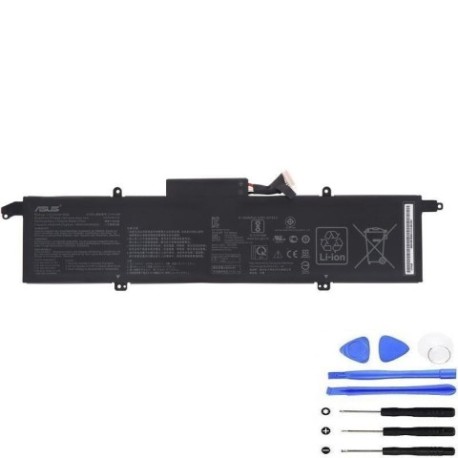
Keep your Asus ROG Zephyrus G14 performing at its best with a genuine replacement battery. Our Asus C41N1908 76Wh battery is engineered to match original specifications, ensuring reliable power for gaming, work, and study across Australia and New Zealand.
Common signs you need a replacement
| Symptom | Cause | Verification | Recommendation |
|---|---|---|---|
| Short battery life | Ageing cells, frequent cycles | Check power settings, monitor drain | Consider replacement if under 2 hours |
| Laptop shuts down unexpectedly | Voltage drops, cell failure | Observe at 20-30% charge | Replace immediately |
| Battery won’t charge fully | Degraded capacity, charger issues | Check charging indicator, try different outlet | Test with known-good charger first |
| Physical swelling or overheating | Internal damage, safety risk | Visual inspection, feel for heat | Stop using and replace urgently |
How to check compatibility
Locate your laptop’s model number on the bottom case, under the battery, or in system information (type “msinfo32” in Windows Search). For Asus ROG Zephyrus G14 models, check against our compatible list above. Use Asus’s official support site with your serial number for precise verification. All models listed are confirmed compatible with the Asus-C41N1908-76Wh battery.
When to replace
Replace your battery when runtime drops below 50% of original, you experience sudden shutdowns, or physical swelling occurs. Most laptop batteries last 2-4 years with typical use. For gaming laptops like the ROG Zephyrus G14, heavy usage may require earlier replacement.
Installation guide (overview)
Power off and unplug your laptop. Remove the bottom case screws (typically Phillips #0). Carefully disconnect the old battery connector from the motherboard. Remove any securing screws or tape. Install the new battery, reconnect the connector, and reassemble. Always refer to your model’s specific service manual or seek professional help if unsure.
Usage & care tips
Avoid frequent full discharges; partial charges are better for lithium-ion batteries. Store in cool, dry conditions (15-25°C ideal). Don’t leave your laptop plugged in constantly at 100% charge. Calibrate monthly by fully charging then discharging to 5-10%.
Safety & recycling in AU/NZ
Never puncture or disassemble batteries. Dispose of old batteries at authorised recycling centres – most electronics retailers offer free battery recycling services. In Australia, check B-cycle locations; in New Zealand, use Reclaim product stewardship programmes.
FAQ
How long does delivery take to Australia/New Zealand?
Typically 7-14 business days with express options available.
Is this battery genuine Asus quality?
Yes, it meets original specifications and comes with a warranty.
Will this work with my GA401QM model?
Yes, all GA401 series models listed are compatible.
Do I need special tools for installation?
Basic screwdrivers are sufficient, but anti-static precautions are recommended.
What warranty is provided?
12-month warranty covering manufacturing defects.
Can I use my laptop while charging the new battery?
Yes, normal usage is fine during the initial charge cycles.
How do I recycle my old battery safely?
Take it to any Officeworks, JB Hi-Fi, or similar electronics retailer for free recycling.