Battery models & part numbers
| Reference / P/N |
|---|
| 0B200-03890000 |
| 0B200-03890100 |
| 4ICP4/63/103 |
| Asus-C41N2010-56Wh |
| C41N2010 |
Compatible models
| Model |
|---|
| Asus FA507RC |
| Asus FA507RE |
| Asus FA707RC |
| Asus FA707RE |
| Asus FA707RM |
| Asus FX507ZC |
| Asus FX507ZC4 |
| Asus FX507ZE |
| Asus FX707ZC |
| Asus FX707ZE |
| Asus G513IC |
| Asus G513IE |
| Asus G513IH |
| Asus G513QC |
| Asus G513QE |
| Asus G513RC |
| Asus G713IC |
| Asus G713IE |
| Asus G713IH |
| Asus G713QC |
| Asus G713QE |
| Asus G713RC |
| Asus M143-0E29 |
| Asus ROG G513IC |
| Asus ROG G513IE |
| Asus ROG Strix G15 G513IC |
| Asus ROG Strix G15 G513IH |
| Asus ROG Strix G15 G513QC |
| Asus ROG Strix G15 G513QE |
| Asus ROG Strix G15 G513RC |
| Asus ROG Strix G17 G713IC |
| Asus ROG Strix G17 G713IE |
| Asus ROG Strix G17 G713IH |
| Asus ROG Strix G17 G713QC |
| Asus ROG Strix G17 G713QE |
| Asus ROG Strix G17 G713RC |
| Asus TUF Gaming A15 FA507RC |
| Asus TUF Gaming A15 FA507RE |
| Asus TUF Gaming A17 FA707RC |
| Asus TUF Gaming A17 FA707RE |
| Asus TUF Gaming A17 FA707RM |
| Asus TUF Gaming F15 FX507ZC4 |
| Asus TUF Gaming F15 FX507ZE |
| Asus TUF Gaming F17 FX707ZC |
| Asus TUF Gaming F17 FX707ZE |
| Asus TUF Gaming FX507ZC |
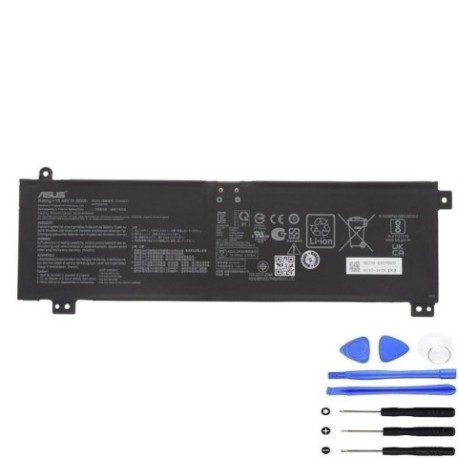
Introduction
If you’re experiencing battery issues with your Asus gaming laptop, you’ve come to the right place. The Asus C41N2010 56Wh battery replacement is compatible with numerous ROG Strix and TUF Gaming models popular in Australia and New Zealand.
Common signs you need a replacement
| Symptoms | Causes | Verification | Recommendation |
|---|---|---|---|
| Battery drains quickly | Ageing cells, high cycles | Check battery health in Windows | Replace if capacity < 60% |
| Laptop won’t hold charge | Failed battery circuit | Test with power adapter | Immediate replacement |
| Battery swelling | Internal damage, overheating | Visual inspection | Replace immediately |
| Inaccurate charge % | Calibration issues | Battery report | Replace if persistent |
How to check compatibility
To verify your laptop model, check the bottom label or use Windows System Information. For Asus devices, the model number typically appears near the serial number. You can also use Asus’s official support centre website by entering your serial number to confirm battery compatibility.
When to replace
Replace your battery when it shows significant capacity loss (below 60% of original), physical swelling, or fails to hold charge. Most gaming laptop batteries last 2-3 years with regular use in AU/NZ conditions.
Installation guide (overview)
Power off and unplug your laptop. Remove the bottom cover screws, carefully disconnect the old battery connector, and install the new battery. Always use proper anti-static precautions and refer to official Asus service guides.
Usage & care tips
Avoid extreme temperatures (ideal range 15-25°C), don’t leave your laptop plugged in constantly, and perform occasional calibration cycles. Store in cool, dry conditions when not in use.
Safety & recycling in AU/NZ
Never puncture or disassemble batteries. In Australia, use Batteryback or council recycling programmes. In New Zealand, utilise accredited e-waste recyclers. Both countries have strict regulations for lithium-ion battery disposal.
FAQ
How long does shipping take in AU/NZ?
Typically 3-7 business days depending on your location.
Is this battery genuine?
Yes, this is an authorised replacement with original specifications.
What’s the warranty period?
Most replacement batteries come with 12 months warranty.
Can I install it myself?
Yes, with basic technical skills and proper tools.
Will it affect my laptop warranty?
In Australia and New Zealand, replacing the battery yourself shouldn’t void your laptop warranty.
What’s the battery capacity?
56Wh with 4-cell lithium-ion construction.
Is fast charging supported?
Yes, compatible with Asus’s fast charging technology.