Battery models & part numbers
| Reference / P/N |
|---|
| Asus-C42-UX51-70Wh |
Compatible laptop models
| Model |
|---|
| Asus ZenBook U500 U500V |
| Asus Zenbook U500VZ |
| Asus Zenbook UX51 UX51V |
| Asus Zenbook UX51VZ |
Introduction
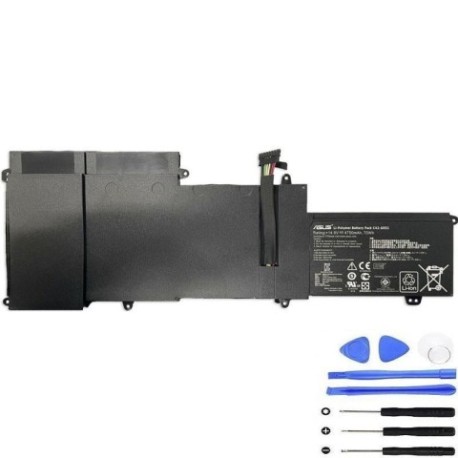
Keep your Asus ZenBook running at peak performance with our genuine replacement battery. This high-quality 70Wh power solution ensures reliable performance for work and study across Australia and New Zealand.
Common signs you need a replacement
| Symptoms | Common Causes | How to Verify | Recommendation |
|---|---|---|---|
| Battery drains quickly | Ageing cells, high cycles | Check battery health in system settings | Consider replacement if under 50% capacity |
| Laptop shuts down unexpectedly | Voltage instability | Monitor battery percentage drops | Replace immediately for data safety |
| Battery won’t charge fully | Charging circuit failure | Check charging indicator and percentage | Test with different charger first |
| Battery swelling or overheating | Internal damage, safety risk | Visual inspection, temperature check | Replace urgently – do not use |
How to check compatibility
Verify your laptop model matches exactly with our compatibility list above. Check your current battery’s part number (usually printed on the battery) or look in your laptop’s system information under “Battery details”.
When to replace
Replace your battery when it holds less than 60% of its original capacity, shows physical damage, or causes unexpected shutdowns. Most laptop batteries need replacement after 2-3 years of regular use.
Installation guide (overview)
1. Power off laptop and disconnect charger
2. Remove bottom panel screws
3. Carefully disconnect old battery connector
4. Install new battery and reconnect
5. Replace panel and power on
Always consult your device manual or seek professional installation if unsure.
Usage & care tips
• Avoid extreme temperatures (ideal range 15-25°C)
• Calibrate monthly: charge to 100%, use until 10%, then recharge
• Store at 40-60% charge if not using for extended periods
• Keep connectors clean and free from dust
Safety & recycling in AU/NZ
Never dispose of batteries in household waste. Use authorised battery recycling centres available at most electronics retailers across Australia and New Zealand. Damaged or swollen batteries should be handled with care and recycled immediately.
FAQ
How long does delivery take in Australia?
Most metro areas receive orders within 3-5 business days, regional areas may take 5-7 days.
Is this battery genuine Asus?
Yes, this is an original Asus replacement part with full manufacturer warranty.
What’s the battery capacity?
This is a 70Wh lithium-ion battery providing optimal performance for compatible ZenBook models.
Do you ship to New Zealand?
Yes, we ship to both Australia and New Zealand with reliable courier services.
How do I check my current battery health?
On Windows, use the battery report feature. On Asus devices, check the MyASUS app for battery health information.
What if the battery doesn’t fit my laptop?
Double-check your model number against our compatibility list. We offer returns for incompatible items within 30 days.
Is professional installation required?
While many users install themselves, we recommend professional installation if you’re not comfortable with laptop disassembly.