HP SB03XL 46Wh Battery Replacement Guide
Find the right HP SB03XL 46Wh battery for your laptop with our complete compatibility list and expert care tips for Australian and New Zealand users.
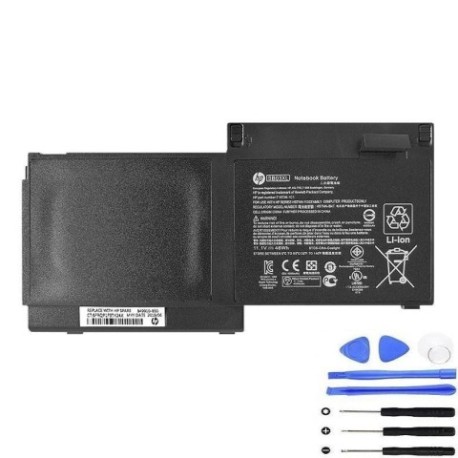
Battery models & part numbers
| Reference / P/N |
|---|
| HP 716725-171 |
| HP 716725-1C1 |
| HP 716726-171 |
| HP 716726-1C1 |
| HP 716726-421 |
| HP 717377-001 |
| HP 717378-001 |
| HP 800232-271 |
| HP 800232-541 |
| HP 854050-541 |
| HP D7P78AV |
| HP E7U25AA |
| HP E7U25UT |
| HP F6B38PA |
| HP HSTNN-I13C |
| HP HSTNN-IB4S |
| HP HSTNN-IB4T |
| HP HSTNN-LB4T |
| HP SB03046XL-PL |
| HP-SB03XL-46Wh |
Compatible laptop models
| Model |
|---|
| HP EliteBook 720 G1s |
| HP EliteBook 720 G2s |
| HP EliteBook 725 G1s |
| HP EliteBook 725 G2s |
| HP Elitebook 820 G1s |
| HP EliteBook 820 G2s |
| HP EliteBook 825 G1s |
| HP EliteBook 825 G2s |
Introduction
Keep your HP laptop running smoothly with a genuine HP SB03XL 46Wh battery replacement. This guide helps AU/NZ users identify compatible models and maintain battery health.
Common signs you need a replacement
| Symptom | Cause | How to check | Recommendation |
|---|---|---|---|
| Short battery life | Ageing cells | Check power settings | Replace if under 2 hours |
| Laptop won’t charge | Faulty battery | Try different power point | Test with multimeter |
| Swelling or overheating | Internal damage | Visual inspection | Replace immediately |
| Unexpected shutdowns | Voltage drops | Monitor battery percentage | Calibrate or replace |
How to check compatibility
Match your laptop’s model number or battery part number with the lists above. For HP EliteBook series, check the label on the bottom casing.
When to replace
Replace your battery every 2–3 years or when capacity drops below 80%. In AU/NZ, authorised centres can test it for you.
Installation guide (overview)
Power off the laptop, remove the old battery, align the new one, and secure it. Always follow manufacturer guidelines.
Usage & care tips
Avoid extreme temperatures; store between 15–25°C. Calibrate monthly by fully discharging and charging. Keep contacts clean.
Safety & recycling in AU/NZ
Do not disassemble batteries. Recycle at designated e-waste centres—check your local council’s website for drop-off points.
FAQ
How long does delivery take in Australia? Usually 3–7 business days.
Is this battery genuine HP? Yes, it’s an authorised replacement part.
Can I use it in New Zealand? Yes, compatible with AU/NZ voltage standards.
What’s the warranty? Typically 12 months from purchase.
How do I recycle the old battery? Use Batteryback or local recycling programmes.
Does it come with installation tools? No, but most HP models require only a screwdriver.
What if my model isn’t listed? Contact support with your laptop’s exact part number.