Battery models & part numbers
| Reference / P/N |
|---|
| HP 632014-221 |
| HP 632014-222 |
| HP 632014-241 |
| HP 632014-242 |
| HP 632014-541 |
| HP 632015-221 |
| HP 632015-222 |
| HP 632015-241 |
| HP 632015-541 |
| HP 632015-542 |
| HP 632016-222 |
| HP 632016-542 |
| HP 632017-221 |
| HP 632017-241 |
| HP 632417-001 |
| HP 632419-001 |
| HP HSTNN-DB2K |
| HP HSTNN-I08C |
| HP HSTNN-I92C |
| HP HSTNN-UB2K |
| HP HSTNN-UB2L |
| HP HSTNN-XB2J |
| HP HSTNN-XB2L |
| HP QK644AA |
| HP QK644UT |
| HP SX03 |
| HP SX06 |
| HP SX06055 |
| HP SX06055-CL |
| HP-SX06XL-55Wh |
Compatible laptop models
| Model |
|---|
| HP EliteBook 2560ps |
| HP EliteBook 2570ps |
Introduction
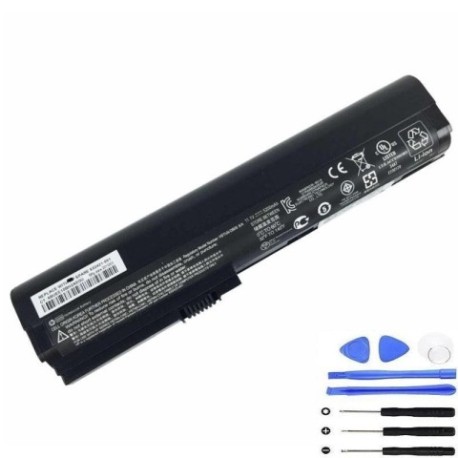
Keep your HP EliteBook running at peak performance with our authorised HP SX06XL 55Wh battery replacement. This high-quality battery is designed to meet original specifications and is compatible with multiple HP laptop models commonly used across Australia and New Zealand.
Common signs you need a replacement
| Symptom | Cause | Verification | Recommendation |
|---|---|---|---|
| Short battery life | Ageing cells, reduced capacity | Check power settings, run diagnostics | Consider replacement if under 2 hours |
| Battery won’t charge fully | Worn charging circuit, cell degradation | Monitor charging percentage over time | Replace if stuck below 80% capacity |
| Laptop shuts down unexpectedly | Voltage drops under load | Check event logs, battery health | Immediate replacement recommended |
| Battery swelling or overheating | Internal damage, safety risk | Visual inspection, temperature check | Stop using immediately and replace |
| Battery not recognised | Connection issues, firmware | Device Manager, BIOS check | Try reseating or replace battery |
How to check compatibility
To ensure this battery fits your HP laptop, check the part number on your current battery (usually found on a label on the battery itself) or verify your laptop model matches our compatible models list. You can also check your laptop’s service manual or contact HP support for confirmation.
When to replace
Replace your battery when it holds less than 50% of its original capacity, shows physical damage like swelling, fails to charge properly, or causes unexpected shutdowns. Most laptop batteries need replacement every 2-4 years with regular use.
Installation guide (overview)
1. Power off your laptop and disconnect from power
2. Remove the old battery by releasing the latch mechanism
3. Align the new battery with the connector and slide into place
4. Secure the battery latch
5. Charge fully before first use
Always refer to your laptop’s user manual for specific instructions.
Usage & care tips
• Avoid extreme temperatures (ideal range 15-25°C)
• Don’t leave laptop plugged in constantly
• Perform partial discharges rather than full cycles
• Store at 40-60% charge if not using for extended periods
• Keep battery contacts clean and dry
Safety & recycling in AU/NZ
In Australia and New Zealand, lithium-ion batteries must be recycled responsibly. Do not dispose of in household waste. Many electronics retailers offer free battery recycling services. Check with your local council for approved recycling centres. Damaged or swollen batteries should be handled with care and recycled immediately.
FAQ
How long does this battery last on a single charge?
Under normal usage conditions, expect 4-6 hours depending on your laptop settings and applications running.
Is this battery genuine HP?
This is a high-quality replacement battery designed to meet original specifications and is compatible with HP laptops.
What warranty do you offer?
Our batteries come with a 12-month warranty covering manufacturing defects.
How do I know if the battery will fit my laptop?
Check the part number on your current battery or verify your laptop model against our compatibility list above.
Can I use this battery with newer HP models?
This battery is specifically designed for the compatible models listed. Check your laptop’s specifications for compatibility.
How should I dispose of my old battery?
Take it to an authorised battery recycling centre. Many electronics stores in Australia and New Zealand offer this service free of charge.
What if the battery doesn’t work with my laptop?
Contact our customer service team for assistance with compatibility issues or returns within the warranty period.