Huawei HB4593R1ECW 22A 56Wh 12Lines Battery Replacement
Find the perfect battery replacement for your Huawei MateBook in Australia and New Zealand. Our genuine-compatible batteries restore your laptop’s performance and battery life.
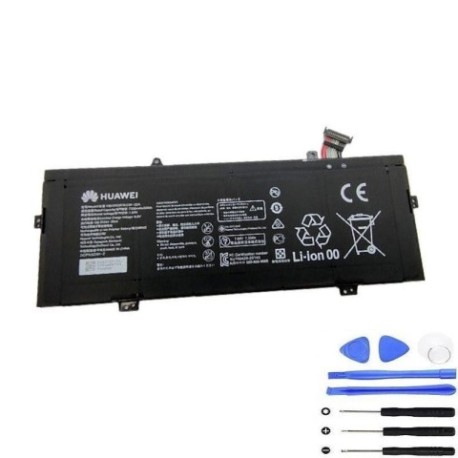
Battery models & part numbers
| Reference / P/N |
|---|
| Huawei-HB4593R1ECW-22A-56Wh-12Lines |
Compatible laptop models
| Model |
|---|
| Huawei MateBook 14 2020 |
| Huawei MateBook 14 2020 Intel |
| Huawei MateBook 14 2021 AMD |
| Huawei MateBook 14 2021 KLVD-WFE9B |
| Huawei MateBook 14 KelvinL-WFH9B |
| Huawei MateBook X Pro 2021 |
| Huawei MateBook X Pro MACHD-WFE9 |
Introduction
Keep your Huawei MateBook running at peak performance with our authorised battery replacement. The HB4593R1ECW model delivers reliable power for your work and study needs across Australia and New Zealand.
Common signs you need a replacement
| Symptoms | Causes | Verification | Recommendation |
|---|---|---|---|
| Battery drains quickly | Ageing cells, reduced capacity | Check battery health in system settings | Replace if capacity below 60% |
| Laptop won’t hold charge | Failed battery circuitry | Unplug charger – immediate shutdown | Urgent replacement needed |
| Battery swelling | Gas buildup, safety hazard | Visible bulge, trackpad lifting | Replace immediately, stop using |
| Overheating during charging | Internal resistance increase | Battery temperature over 45°C | Replace to prevent damage |
How to check compatibility
Verify your laptop model matches our compatibility list above. Check your device’s bottom label or system information for exact model numbers. All compatible models use the same HB4593R1ECW battery specification.
When to replace
Replace your Huawei battery when you notice significant performance drops, typically after 2-3 years of regular use. Don’t wait until complete failure – proactive replacement ensures uninterrupted productivity.
Installation guide (overview)
Power down your laptop completely. Remove the bottom cover using appropriate screwdrivers. Disconnect the old battery carefully and install the new one, ensuring proper connector alignment. Reassemble and charge fully before first use.
Usage & care tips
Maintain battery health by avoiding extreme temperatures. Store between 15-25°C when not in use. Calibrate monthly by fully charging then discharging to 10%. Use original Huawei chargers for optimal performance.
Safety & recycling in AU/NZ
Dispose of old batteries responsibly at authorised recycling centres. Never puncture or expose batteries to fire. In Australia, use Batteryback services; in New Zealand, check with local council recycling programmes.
FAQ
How long does shipping take in Australia?
Most metro areas receive orders within 2-3 business days. Regional areas may take 3-5 business days.
Is this battery genuine Huawei?
Our batteries are high-quality compatible replacements that meet or exceed original specifications.
What’s the warranty period?
All our Huawei batteries come with a 12-month warranty covering manufacturing defects.
Can I install this myself?
Yes, with basic technical skills and proper tools. Follow our installation guide or seek professional help if unsure.
How do I check battery health?
Use Windows Battery Report or third-party tools to monitor capacity and cycle count.
What’s the battery capacity?
This model provides 56Wh capacity, matching original Huawei specifications.
Do you ship to New Zealand?
Yes, we ship to both Australia and New Zealand with competitive rates.