Battery models & part numbers
| Reference / P/N |
|---|
| Lenovo L12C3A01 |
| Lenovo L12S3F01 |
| Lenovo L13M3F01 |
| Lenovo-L12M3A01-36Wh |
Compatible laptop models
| Model |
|---|
| Lenovo 121500170 |
| Lenovo 121500185 |
| Lenovo 121500230 |
| Lenovo 35010359 |
| Lenovo 35010607 |
| Lenovo 35016215 |
| Lenovo IdeaPad S20-30 (80GW/80GX) |
| Lenovo IdeaPad S210 (80AN) |
| Lenovo IdeaPad S210 Touch (80AQ) |
| Lenovo IdeaPad S215 (80AR) |
| Lenovo IdeaPad S215 Touch |
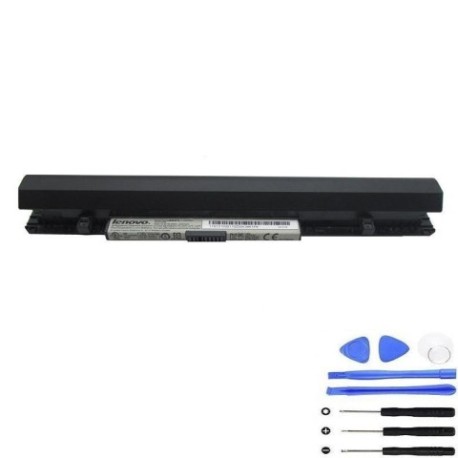
Introduction
Keep your Lenovo laptop running at peak performance with our authorised replacement battery. This comprehensive guide helps Australian and New Zealand consumers find the right battery and understand the replacement process.
Common signs you need a replacement
| Symptoms | Causes | Verification | Recommendation |
|---|---|---|---|
| Battery won’t hold charge | Ageing cells | Check power settings | Consider replacement |
| Laptop shuts down unexpectedly | Voltage drops | Monitor battery health | Replace battery |
| Battery swelling | Internal damage | Visual inspection | Replace immediately |
| Overheating during use | Inefficient cells | Check temperature | Replace battery |
How to check compatibility
Verify your laptop model matches our compatibility list above. Check your current battery’s part number or consult your laptop’s documentation. All compatible models are tested to ensure proper fit and function.
When to replace
Replace your battery when runtime drops below 50% of original capacity, physical damage occurs, or your laptop no longer operates reliably on battery power. Most batteries last 2-3 years with regular use.
Installation guide (overview)
Power down your laptop completely. Remove the bottom cover, disconnect the old battery, install the new unit, and reassemble. Always follow manufacturer guidelines for your specific model.
Usage & care tips
Avoid extreme temperatures (ideal range 15-25°C). Don’t leave your laptop plugged in constantly. Calibrate your battery monthly by fully discharging and recharging. Store in cool, dry conditions.
Safety & recycling in AU/NZ
Never attempt to open or modify batteries. Dispose of old batteries at authorised recycling centres. In Australia, use Batteryback or similar programmes. In New Zealand, utilise council collection services.
FAQ
How long does delivery take in Australia?
Typically 3-7 business days depending on your location.
Is this battery compatible with my specific model?
Check the compatibility tables above for your exact model number.
What warranty do you offer?
All our batteries come with a 12-month warranty.
Can I install this myself?
Yes, most installations are straightforward with basic technical skills.
How do I recycle my old battery?
Use local council recycling services or dedicated battery recycling programmes.
What’s the battery capacity?
This model has 36Wh capacity for extended runtime.
Are these genuine Lenovo batteries?
These are high-quality compatible replacements meeting original specifications.