Battery models & part numbers
| Reference / P/N |
|---|
| L18C3PF2 |
| L18D3PF1 |
| L18L3PF1 |
| Lenovo-L18M3PF2-36Wh |
Compatible laptop models
| Model |
|---|
| Lenovo 5B10T03400 |
| Lenovo 5B10T03401 |
| Lenovo 5B10T03402 |
| Lenovo 5B10T03403 |
| Lenovo 5B10T03404 |
| Lenovo 5B10W67198 |
| Lenovo 5B10W67278 |
| Lenovo 5B10W67302 |
| Lenovo 5B10W67321 |
| Lenovo 5B10W67367 |
| Lenovo IdeaPad L3-15IML05 (81Y3) |
| Lenovo IdeaPad L3-15ITL6 (82HL) |
| Lenovo IdeaPad L340-15API (81LW) |
| Lenovo IdeaPad L340-15API (81LX) |
| Lenovo IdeaPad L340-15IWL (81LG) |
| Lenovo IdeaPad L340-15IWL (81LH) |
| Lenovo IdeaPad L340-17API (81LL) |
| Lenovo IdeaPad L340-17API (81LY) |
| Lenovo IdeaPad L340-17IWL (81M0) |
| Lenovo V140-15IWL (81K6) |
| Lenovo V155-15API (81V5) |
| Lenovo V340-17IWL (81RG) |
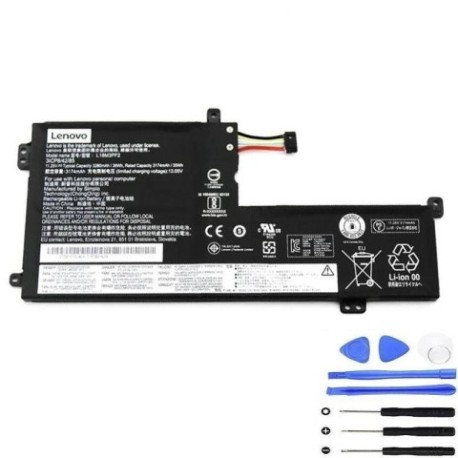
Introduction
Keep your Lenovo laptop running at peak performance with our authorised replacement battery. The Lenovo L18M3PF2 36Wh battery is designed specifically for compatibility with multiple Lenovo laptop models commonly used across Australia and New Zealand.
Common signs you need a replacement
| Symptoms | Causes | Verification | Recommendation |
|---|---|---|---|
| Battery drains quickly (under 1 hour) | Ageing cells, frequent charging cycles | Check battery health in system settings | Consider replacement if capacity below 60% |
| Laptop won’t hold charge | Failed battery cells, internal damage | Test with different power adapter | Immediate replacement needed |
| Battery swelling or overheating | Chemical degradation, safety hazard | Visual inspection, temperature check | Stop using immediately and replace |
| Inconsistent charging behaviour | Faulty BMS, connection issues | Monitor charging patterns | Replace if persistent after cleaning contacts |
How to check compatibility
Verify your laptop model matches our compatibility list above. Check your current battery’s part number (usually printed on the battery) or locate your laptop model number on the bottom casing or in system information.
When to replace
Replace your battery when you notice significant performance decline, typically after 2-3 years of regular use or when battery health shows less than 60% of original capacity.
Installation guide (overview)
Power off your laptop and disconnect from power. Remove the bottom panel (consult your laptop’s manual for specific instructions), disconnect the old battery connector, remove mounting screws, install the new battery, reconnect the connector, and reassemble.
Usage & care tips
Avoid extreme temperatures (ideal range 15-25°C), don’t leave laptop plugged in constantly, perform occasional full discharge cycles, and store in cool, dry conditions when not in use for extended periods.
Safety & recycling in AU/NZ
Never attempt to open or modify batteries. Dispose of old batteries at authorised recycling centres – most electronics retailers in Australia and New Zealand offer free battery recycling services.
FAQ
How long does delivery take in Australia?
Most metropolitan areas receive delivery within 3-5 business days, regional areas may take 5-7 business days.
Is this battery genuine Lenovo?
This is a high-quality replacement battery designed to meet or exceed original specifications and is fully compatible with your Lenovo device.
What warranty do you offer?
All our batteries come with a 12-month warranty covering manufacturing defects.
Can I use this battery with newer Lenovo models?
Only use with compatible models listed above. Check your specific model number before purchase.
How do I maximise battery life?
Avoid complete discharges, keep between 20-80% charge when possible, and store at room temperature.
Is installation difficult?
Most users can install following our guide, but if unsure, seek professional assistance from a computer repair centre.
Do you ship to New Zealand?
Yes, we ship throughout New Zealand with similar delivery timeframes to Australian orders.