Battery models & part numbers
| Reference / P/N |
|---|
| 1ICP3/41/93 |
| 1ICP5/65/69-2 |
| 5B10W13965 |
| 5B10W13966 |
| L19M4P73 |
| Lenovo-L19C4P73-44.5Wh |
| SB10T83208 |
| SB10T83209 |
Compatible laptop models
| Model |
|---|
| Lenovo ThinkPad X1 Titanium Yoga Gen. 1 (20QA/20QB) |
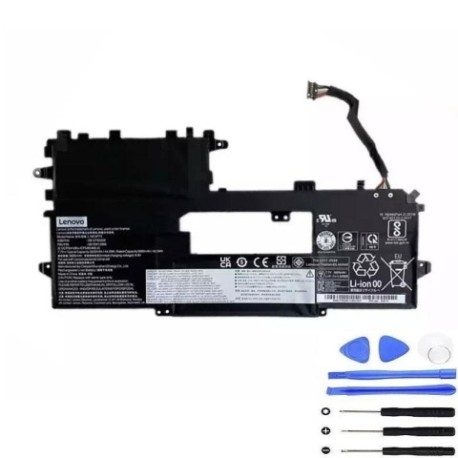
Introduction
Keep your Lenovo ThinkPad X1 Titanium Yoga performing at its best with our genuine replacement battery. This 44.5Wh power solution ensures reliable performance for Australian and New Zealand professionals.
Common signs you need a replacement
| Symptoms | Causes | Verification | Recommendation |
|---|---|---|---|
| Battery drains quickly | Ageing cells, reduced capacity | Check battery health in system settings | Consider replacement if below 70% capacity |
| Laptop won’t hold charge | Faulty battery circuitry | Test with different power adapter | Replace battery immediately |
| Swelling or bulging | Internal chemical breakdown | Visual inspection, uneven surfaces | Stop using and replace urgently |
| Overheating during use | Inefficient power conversion | Monitor temperature with software | Replace to prevent damage |
How to check compatibility
Verify your laptop model matches the compatible models listed above. Check your current battery’s part number against our reference list. For ThinkPad X1 Titanium Yoga Gen 1, look for model numbers 20QA or 20QB on the bottom label.
When to replace
Replace your battery when runtime drops below 2 hours, system shows “consider replacing your battery” warnings, or physical damage/swelling occurs. Most batteries need replacement after 2-3 years of regular use in AU/NZ conditions.
Installation guide (overview)
Power off and unplug your laptop. Remove the bottom cover using appropriate screwdrivers. Disconnect the battery connector, remove mounting screws, and lift out the old battery. Install the new battery in reverse order, ensuring proper connector alignment.
Usage & care tips
Avoid extreme temperatures – store between 15-25°C. Calibrate monthly by fully charging then discharging. Don’t leave plugged in constantly. Use authorised Lenovo power adapters. Keep contacts clean and dry.
Safety & recycling in AU/NZ
Never disassemble batteries. Dispose at authorised recycling centres. In Australia, use Batteryback or council e-waste services. In New Zealand, utilise Computer Recycling programmes. Both countries prohibit landfill disposal of lithium batteries.
FAQ
How long does shipping take in Australia?
Most metro areas receive orders within 3-5 business days. Regional areas may take 5-7 business days.
Is this battery genuine Lenovo?
Yes, we supply original equipment manufacturer (OEM) batteries with full compatibility guarantees.
What warranty do you offer?
All our batteries come with 12 months warranty covering manufacturing defects and premature failure.
Can I install this myself?
Yes, with basic technical skills and proper tools. Follow our installation guide or seek professional help if unsure.
How do I check my current battery health?
On Windows, use Command Prompt with “powercfg /batteryreport” or check Lenovo Vantage software.
Will this affect my laptop warranty?
In Australia and New Zealand, replacing the battery yourself doesn’t void the overall laptop warranty, but any damage caused during installation may not be covered.
Do you ship to New Zealand?
Yes, we ship to both Australia and New Zealand with standard and express delivery options available.