Battery models & part numbers
| Reference / P/N |
|---|
| Medion-40064155-44Wh |
Compatible laptop models
| Model |
|---|
| Medion Akoya E6439 |
| Medion Akoya E6440 |
| Medion Akoya P6685 |
| Medion Akoya S6425 |
| Medion Akoya S6426 |
| Medion F15 |
| Medion Pegatron F15KUR |
Introduction
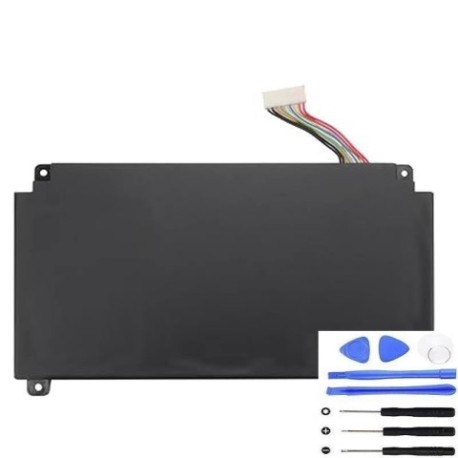
Keep your Medion laptop running at peak performance with our genuine replacement battery. This 44Wh power solution is designed specifically for your device’s requirements.
Common signs you need a replacement
| Symptom | Possible Cause | How to Verify | Recommendation |
|---|---|---|---|
| Short battery life | Battery degradation | Check power settings | Consider replacement |
| Laptop shuts down unexpectedly | Power supply issues | Monitor battery percentage | Test with power adapter |
| Battery won’t charge fully | Charging circuit failure | Check charging indicator | Inspect battery health |
| Physical swelling or damage | Internal cell failure | Visual inspection | Replace immediately |
How to check compatibility
Verify your laptop model matches one of the compatible models listed above. Check your device’s bottom label or system information for exact model identification.
When to replace
Replace your battery when you notice significant performance decline, typically after 2-3 years of regular use or when capacity drops below 70%.
Installation guide (overview)
Power off your laptop, disconnect from power, remove the old battery by releasing securing clips, and insert the new battery until it clicks into place.
Usage & care tips
Avoid extreme temperatures (ideal range 15-25°C), don’t leave laptop plugged in constantly, and perform occasional full discharge cycles to maintain battery health.
Safety & recycling in AU/NZ
Dispose of old batteries at authorised recycling centres. Never incinerate or dispose in household waste. Check with your local council for battery recycling options.
FAQ
How long does delivery take in Australia?
Typically 3-7 business days depending on your location.
Is this battery genuine Medion?
Yes, this is an original Medion replacement part with full compatibility.
What warranty do you offer?
All our batteries come with a 12-month warranty.
Can I use this battery in New Zealand?
Yes, this battery is compatible with all standard power systems in both Australia and New Zealand.
How do I check my current battery health?
Use your laptop’s built-in power management tools or third-party battery monitoring software.
What if my model isn’t listed?
Contact our support team with your exact laptop model for compatibility verification.
Is installation difficult?
Most Medion laptops have user-replaceable batteries that can be installed in minutes without tools.