Battery models & part numbers
| Reference / P/N |
|---|
| 541389480001 |
| 541389480002 |
| 54J200-M47 |
| 925QA039H |
| 954J200-M47 |
| HPP7035142AB |
| MSI-BTY-M6L-80.25Wh-1hold |
| S9N-954J200-M47 |
| S9N-954J210-M47 |
| S9N-954J230-M47 |
| S9N-954J270-SB3 |
| S9N-964F210-M47 |
Compatible laptop models
| Model |
|---|
| MSI GS65 8RE (MS-16Q2) |
| MSI GS65 8RF (MS-16Q2) |
| MSI GS65 Stealth 8SD (MS-16Q4) |
| MSI GS65 Stealth 8SG (MS-16Q4) |
| MSI GS65 Stealth 9SD/9SE/9SF (MS-16Q4) |
| MSI GS65 Stealth 9SG (MS-16Q4) |
| MSI GS65 Stealth Thin 8RE/8RF (MS-16Q2) |
| MSI P65 Creator 8RD (MS-16Q3) |
| MSI P65 Creator 8RE (MS-16Q3) |
| MSI P65 Creator 8RF (MS-16Q2) |
| MSI P65 Creator 9RD (MS-16Q3) |
| MSI P65 Creator 9SC (MS-16Q5) |
| MSI P65 Creator 9SE (MS-16Q4) |
| MSI P65 Creator 9SF (MS-16Q4) |
| MSI P65 Creator 9SG (MS-16Q4) |
| MSI WS65 8SK (MS-16Q2) |
| MSI WS65 8SL (MS-16Q2) |
| MSI WS65 8TK/9TK/9TM (MS-16Q4) |
| MSI WS65 9TJ (MS-16Q5) |
| MSI WS65 9TL (MS-16Q4) |
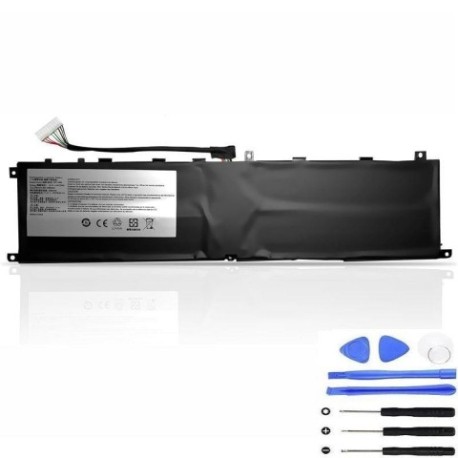
Introduction
Keep your MSI laptop running at peak performance with our genuine replacement battery. The MSI BTY M6L 80.25Wh battery is designed specifically for multiple MSI laptop models, ensuring perfect compatibility and reliable power delivery.
Common signs you need a replacement
| Symptoms | Causes | Verification | Recommendation |
|---|---|---|---|
| Battery drains quickly | Ageing cells | Check battery health in system settings | Consider replacement if under 50% capacity |
| Laptop won’t hold charge | Worn-out battery | Monitor charge duration | Replace if unable to hold charge |
| Battery swelling | Internal damage | Visual inspection | Immediate replacement required |
| Overheating during use | Faulty battery | Check temperature | Replace to prevent damage |
How to check compatibility
Verify your laptop model matches our compatibility list above. Check your current battery’s part number or refer to your laptop’s documentation. All compatible models are clearly listed for your convenience.
When to replace
Replace your battery when you notice significant performance degradation, swelling, or if it no longer holds a charge. Most laptop batteries last 2-3 years with regular use before needing replacement.
Installation guide (overview)
Power off your laptop and disconnect all cables. Remove the bottom panel, disconnect the old battery, and install the new one following proper safety procedures. Always refer to official MSI documentation for detailed installation steps.
Usage & care tips
Avoid extreme temperatures (store between 15-25°C), don’t leave your laptop plugged in constantly, and perform regular calibration cycles. Keep your battery between 20-80% charge for optimal lifespan.
Safety & recycling in AU/NZ
Dispose of old batteries at authorised recycling centres. Never dispose of lithium batteries in household waste. Check with your local council for battery recycling options available in your area.
FAQ
How long does delivery take in Australia?
Most orders are delivered within 3-7 business days depending on your location.
Is this battery genuine MSI?
Yes, this is an authentic MSI replacement battery with full compatibility.
What’s the warranty period?
This battery comes with a standard 12-month warranty.
Can I install it myself?
Yes, with basic technical skills. However, we recommend professional installation if unsure.
How do I check my current battery health?
Use your laptop’s built-in battery health tool or third-party applications to monitor capacity.
What if my model isn’t listed?
Contact our support team with your laptop’s exact model number for assistance.
Is overnight charging safe?
Modern laptops have protection circuits, but we recommend unplugging once fully charged for optimal battery health.