Razer RC30-0351 60.8Wh Replacement Battery
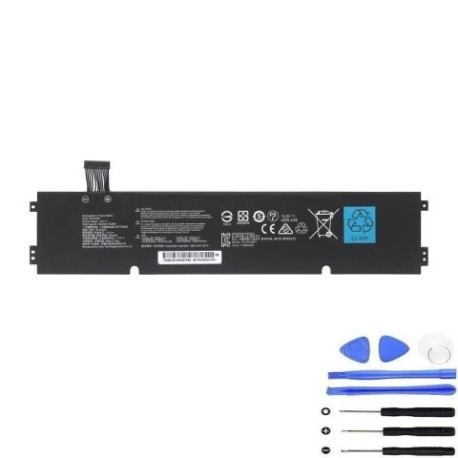
Battery models & part numbers
| Reference / P/N |
|---|
| Razer-RC30-0351-60.8Wh |
Compatible laptop models
| Model |
|---|
| Razer Blade 15 (2020) Base RZ09-03519 |
| Razer Blade 15 (2021) Base RZ09-0369A |
| Razer Blade 15 (2021) Base RZ09-0369B |
| Razer Blade 15 Base Model (Late 2020) |
| Razer Blade 15 Base RZ09-03519E11-R3U1 |
| Razer Blade 15 Base RZ09-0369AE22-R3U1 |
| Razer Blade 15 Base RZ09-0369BE22-R3U1 |
| Razer Blade 15 Base RZ09-0369BEA2-R3U1 |
| Razer RZ09-0369x RZ09-0351 |
Introduction
Keep your Razer Blade 15 performing at its best with our genuine replacement battery. The Razer RC30-0351 60.8Wh battery is specifically designed for compatible Blade 15 models, ensuring optimal performance and safety.
Common signs you need a replacement
| Symptoms | Causes | Verification | Recommendation |
|---|---|---|---|
| Battery drains quickly | Ageing cells, reduced capacity | Check battery health in system settings | Replace if capacity below 60% |
| Laptop won’t hold charge | Failed battery cells | Test with power adapter removed | Immediate replacement needed |
| Battery swelling | Chemical degradation | Visual inspection, trackpad lifting | Replace immediately – safety risk |
| Overheating during use | Internal resistance increase | Monitor temperature, check vents | Replace to prevent damage |
How to check compatibility
Verify your laptop model matches one of the compatible models listed above. Check the label on the bottom of your laptop or in system information (Windows: Win+R > “msinfo32”, Mac: Apple menu > About This Mac).
When to replace
Replace your battery when you notice significant performance decline, swelling, or if it’s been 2-3 years of regular use. Don’t wait until complete failure – proactive replacement ensures uninterrupted productivity.
Installation guide (overview)
1. Power off and unplug your laptop
2. Remove bottom cover screws
3. Carefully disconnect old battery
4. Install new battery and reconnect
5. Replace cover and power on
Note: Refer to official service guides or seek professional installation if unsure.
Usage & care tips
– Avoid extreme temperatures (ideal range: 10°C to 35°C)
– Don’t leave laptop plugged in constantly
– Perform regular calibration cycles
– Store in cool, dry conditions when not in use
– Use only authorised Razer power adapters
Safety & recycling in AU/NZ
In Australia and New Zealand, lithium batteries must be recycled properly. Never dispose of in household waste. Use council e-waste collection services or return to authorised battery recycling centres. Damaged or swollen batteries require special handling – contact your local waste management authority.
FAQ
How long does delivery take in Australia?
Typically 3-7 business days depending on your location.
Is this battery genuine Razer?
Yes, this is an authentic Razer replacement battery meeting all original specifications.
What warranty do you offer?
12-month warranty covering manufacturing defects.
Can I install this myself?
Yes, with basic technical skills. Follow our installation guide or seek professional help.
Will this improve my gaming performance?
It will restore original battery life but won’t increase gaming performance beyond factory specs.
How do I recycle my old battery?
Use council e-waste services or drop at authorised battery recycling points.
What if my model isn’t listed?
Contact us with your exact model number for compatibility verification.