Battery models & part numbers
| Reference / P/N |
|---|
| Toshiba A000048230 |
| Toshiba A000051280 |
| Toshiba A000055200 |
| Toshiba PA3723U-1BRS |
| Toshiba PA3729U |
| Toshiba PA3729U1BAS |
| Toshiba PA3729U-1BAS |
| Toshiba PA3729U1BRS |
| Toshiba PA3729U-1BRS |
| Toshiba PA3730U |
| Toshiba PA3730U1BAS |
| Toshiba PA3730U-1BAS |
| Toshiba-PA3730U-1BRS-87Wh |
Compatible laptop models
| Model |
|---|
| Toshiba Qosmio X500s |
| Toshiba Qosmio x505s |
| Toshiba Satellite P500s |
| Toshiba Satellite P505s |
| Toshiba Satellite P505Ds |
Introduction
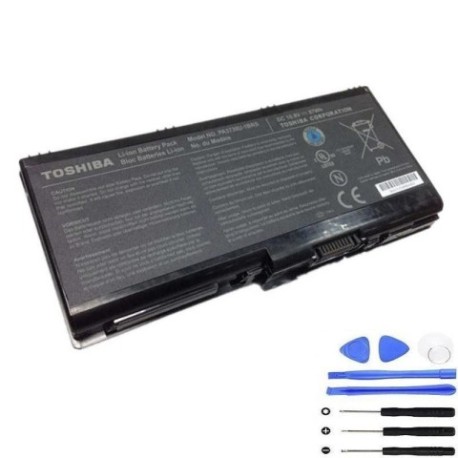
Keep your Toshiba laptop running at peak performance with our authorised replacement battery. The PA3730U-1BRS 87Wh battery provides reliable power for various Toshiba Qosmio and Satellite models, ensuring you stay productive wherever you work in Australia or New Zealand.
Common signs you need a replacement
| Symptoms | Causes | Verification | Recommendation |
|---|---|---|---|
| Battery drains quickly | Ageing cells | Check power settings | Consider replacement |
| Laptop shuts down unexpectedly | Voltage drops | Monitor battery health | Replace battery |
| Battery won’t hold charge | Cell degradation | Test with power metre | Install new battery |
| Swelling or overheating | Internal damage | Visual inspection | Replace immediately |
How to check compatibility
Verify your laptop model matches our compatibility list above. Check your current battery’s part number (usually printed on the battery) against our reference list. For Australian and New Zealand customers, ensure you’re purchasing the correct regional specification.
When to replace
Replace your battery when it holds less than 50% of its original capacity, shows physical damage, or causes system instability. Most laptop batteries last 2-3 years with regular use in typical AU/NZ conditions.
Installation guide (overview)
1. Power off laptop and disconnect charger
2. Remove old battery (usually slide-lock mechanism)
3. Insert new battery until it clicks into place
4. Charge fully before first use
Note: Always use authorised replacement parts for safety.
Usage & care tips
• Avoid extreme temperatures (ideal range 15-25°C)
• Calibrate battery monthly by fully discharging then charging
• Store at 40-60% charge if not using for extended periods
• Use original Toshiba charger for optimal performance
Safety & recycling in AU/NZ
Dispose of old batteries responsibly at authorised recycling centres. In Australia, use Batteryback or council e-waste services. In New Zealand, utilise Computer Recycling programmes. Never dispose of lithium batteries in household waste due to fire risk.
FAQ
How long does shipping take to AU/NZ?
Typically 7-14 business days with tracking provided.
Is this battery genuine Toshiba?
Yes, we supply authorised replacement batteries meeting original specifications.
What warranty do you offer?
12-month warranty covering manufacturing defects.
Can I use this with different laptop brands?
No, this battery is specifically designed for compatible Toshiba models only.
How do I maximise battery life?
Avoid complete discharges, keep between 20-80% charge when possible, and store in cool conditions.
Is installation difficult?
Most users can install in under 5 minutes – no tools required for standard models.
What if my model isn’t listed?
Contact our support team with your laptop’s exact model number for verification.